
WordPress Support
Prerequisites
To use the WordPress integration system, you should have:
- Administrator-level access to your WordPress site,
meaning that you are able to upload themes and plugins, - A Graydient API Key or Community id (starts with a “C”),
- A ZIP file containing the Graydient Plug-in,
- Confirmation that your domain name was whitelisted
Please contact us for help with these materials.
Overview of Functionality
To use Graydient services in WordPress, we have developed a custom plugin that provides the following functionality:
Prompt Shortcode
This allows you to render the piratediffusion.com/ image creation prompt as an IFRAME on any WordPress page
Latest Posts
This allows you to pull recent renders (groups of generated images with a prompt) onto your page dynamically
Installing The Plug-in
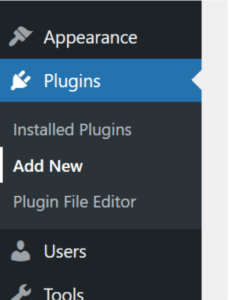
First, navigate to the Plugins section of WordPress
Then hit Upload Plug-in:
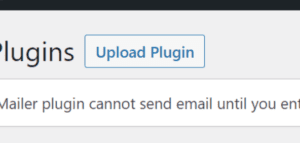
And upload the ZIP file that you were given when your license was granted.
Shortcode Capabilities
[grai_prompt] – Draw <IFRAME> rendering prompt
Example:
[grai_prompt community=”C-xxxxxxxxxxxxxxxx”]
[grai_latest] – Display latest posts
Example:
[grai_latest community=”C-xxxxxxxxxxxxxxxx”]
Need more help?