
- PirateDiffusion
- গাইড
- কিভাবে প্রম্পট করবেন
কিভাবে প্রম্পট করবেন
PirateDiffusion হল চ্যাটের ভেতরে একটি কমান্ড লাইন। একটি মেসেজে একটি রেন্ডার হয়: একটি কমান্ড, মডেলের শর্টকোড, কিছু প্যারামিটার এবং আপনার শব্দ। এই পৃষ্ঠার প্রতিটি লাইভ উদাহরণ ModelTrends ক্যাটালগ থেকে আসা একটি বাস্তব রেন্ডার, এবং তার কমান্ড যেমন আছে তেমন পেস্ট করা যায়।
Learn your first command: Skills
Type // to create or edit images and videos. You do not need to learn commands or pick a model first. Begin your request with two slashes and the bot picks the best Skill for it: the model, the workflow and the settings that fit your words. Copy this into the chat:
// a gray chubby cat napping in a sunny garden, photo
A confirmation message appears, then the pictures. The buttons under each result let you vote and upscale it.
Change the words and send it again. The more you describe, the closer the picture gets:
// a gray British shorthair cat asleep among peonies in a big garden, soft morning light, realistic photo
Videos work the same way
Ask for motion and the bot picks a video Skill:
// a short video of waves rolling onto a black sand beach at sunset
Edit a photo
Send a photo into the chat first, then reply to it with your request. Putting the word edit in it helps the bot pick an editing Skill:
// edit, make her hair blonde
Pick a Skill yourself
Every Skill also has a name you can run directly, for example /anime-illustrious a warrior standing in the rain. /skill /list shows the Skills available to you, /skill /show:name describes one, and /skill /tune lets you mute the ones you never want picked for you.
When you want full control
The /render and /workflow commands name the exact model, size, steps and seed yourself. That is what the How to prompt lessons and the commands list are for. The original SDXL beginner lesson, with its /render cat examples and bracket weights, is kept as a 2024 guide.
১. রেন্ডার কমান্ড
/render দিয়ে শুরু করুন, কোণাকৃতিতে মডেলের নাম দিন, তারপর যা দেখতে চান লিখুন। প্যারামিটারগুলো স্ল্যাশ শব্দ এবং মেসেজের যেকোনো জায়গায় থাকতে পারে।
/render <krea2> /size:1024x1024 A fantasy knight in full armor with helmet. His sword at belt. In neutral pose. White background.
এই পৃষ্ঠার উদাহরণগুলো <krea2>, Flux Krea বেস মডেল, 1024 পিক্সেলে ব্যবহার করে; প্রম্পটগুলো ModelTrends ক্যাটালগ থেকে আসল। মডেলের নাম না দিলে বট আপনার ডিফল্ট মডেল ব্যবহার করে। অন্য একটি ShortCode দিয়েই একই প্রম্পট অন্য মডেলে চেষ্টা করা যায়।
একটি লাইভ উদাহরণ: ShortCode, রেন্ডারের সেটিংস প্যারামিটার হিসেবে, প্রম্পট এবং তার নেতিবাচক।
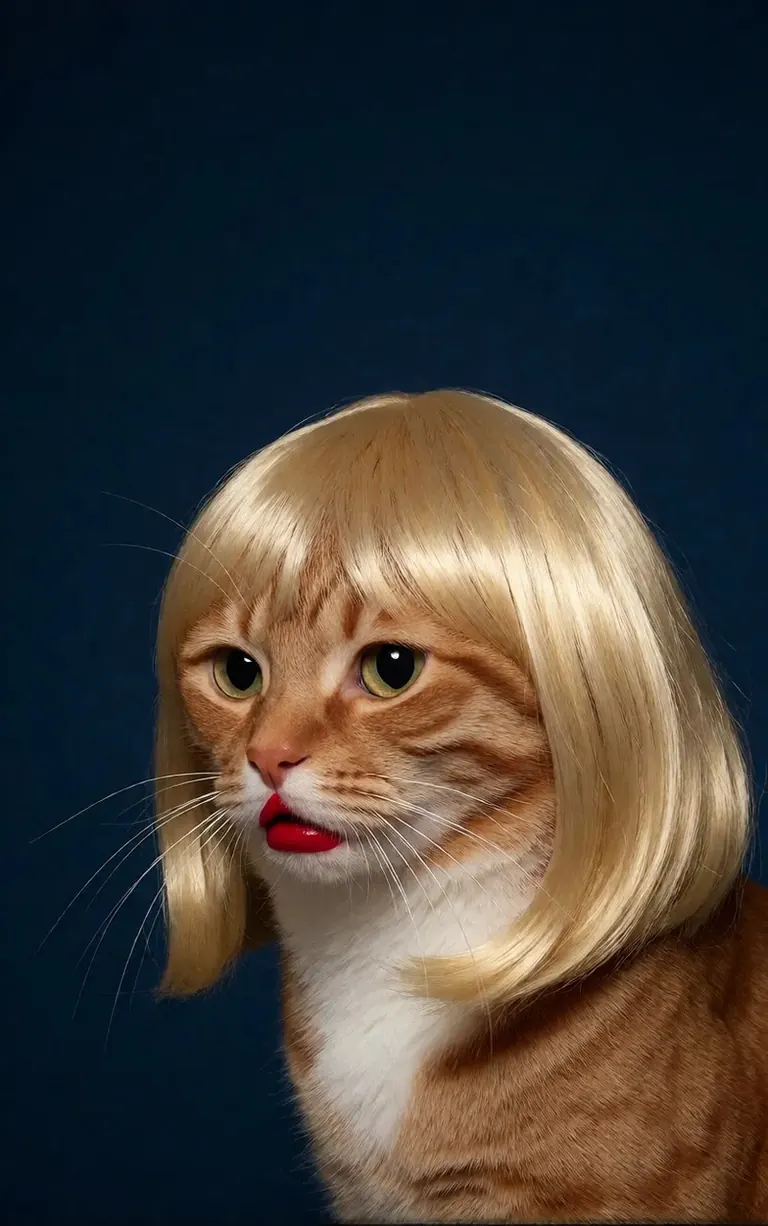
/render <realism-enhancer-krea2> A minimalist, high-contrast studio portrait captures an orange tabby cat wearing a perfectly styled blonde wig with straight bangs, looking off-camera with a grumpy expression and wearing bright red lipstick, featuring rich composition grading and insane sharpness. The cat's smooth, light brown and white fur stands out sharply against a flat, deep dark blue background that serves as a vast expanse of clean negative space. The tight, centered flash composition highlights the realistic texture of the shiny blonde synthetic hair, the cat's long white whiskers, and the glossy red pout, creating a bizarre, authentic, and starkly humorous artistic study.
Krea2 · LoRA6vidit9 দ্বারা রেন্ডার via BunchaPrompts
২. ModelTrends ShortCodes
ModelTrends.ai এর প্রতিটি মডেল পৃষ্ঠায় একটি ShortCode বক্স থাকে। সেই ShortCode হলো PirateDiffusion এর মধ্যে মডেলের নাম: এটি কমান্ডে দিন এবং বট সেই মডেল লোড করবে। হাজার হাজার মডেল, LoRA এবং এম্বেডিংস প্রিলোড করা আছে, তাই কিছু ডাউনলোড করার দরকার নেই।
বটে, /concepts মডেলগুলো তালিকা করে এবং /concept /search নাম দিয়ে একটি মডেল খুঁজে পায়।
/concepts
/concept /search:anime
ক্যাটালগ ব্রাউজ করুন, একটি মডেল খুলুন এবং তার ShortCode কপি করুন: ModelTrends.ai
৩. প্যারামিটার
নমুনা কমান্ডের প্যারামিটারগুলো মূল রেন্ডারের সেটিংস। একই ধরনের ছবি পেতে এগুলো কপি করুন; নতুন ছবি পেতে সিড পরিবর্তন করুন।
/size:1024x1024 | প্রস্থ এবং উচ্চতা পিক্সেলে। বর্তমান মডেলগুলো 1024 এবং তার উপরে রেন্ডার করে; 1024x1024 হলো বর্গাকার, 1024x1536 হলো পোর্ট্রেট। |
/portrait /tall /landscape /wide | আকারের শর্টকাট সাইজের বদলে। |
/steps:25 | রেন্ডার কতগুলো ডিনয়েজিং ধাপ নেয়; বেশি হলে ধীর। |
/guidance:7 | প্রম্পট কতটা কঠোরভাবে অনুসরণ করা হয়। প্রতিটি মডেলের নিজস্ব সেরা পরিসর আছে। |
/seed:123456 | র্যান্ডম সিড। একই সিড, গাইডেন্স, স্যাম্পলার এবং মডেল একই ছবি আবার দেয়। |
/sampler:dpm2m /karras | স্যাম্পলার, এবং /karras স্যাম্পলারদের জন্য যাদের সেই মোড আছে। /sampler একাই এগুলো তালিকা করে। |
/clipskip:2 | টেক্সট এনকোডারের শেষ লেয়ারগুলো স্কিপ করে; কিছু মডেল ২ এর জন্য ট্রেইন করা। |
/images:4 | একটি কমান্ড থেকে কতগুলো ছবি তৈরি করতে হবে। |
প্যারামিটারগুলো প্রতিটি ভাষায় ইংরেজিতেই থাকে, বট এগুলো যেমন লেখা আছে তেমনই পড়ে।
৪. ওজন, পজিটিভ এবং নেগেটিভ
ডবল বন্ধনী একটি শব্দের ওজন বাড়ায়, ডবল বর্গাকার বন্ধনী কমায়। নেতিবাচক, ছবির বাইরে রাখার বিষয়গুলোও বর্গাকার বন্ধনীর মধ্যে থাকে, সাধারণত শেষে।
/render <krea2> /size:1024x1024 sketch painting, a rock climber scaling a ((steep cliff)), icy winds, frozen landscape [[blurry, text, watermark]]
অন্যান্য টুল থেকে কপি করা প্রম্পটে প্রায়ই (word:1.3) ওজন থাকে। /parser:new যোগ করলে বট এগুলো পড়ে।
/render <krea2> /size:1024x1024 /parser:new sketch painting, a rock climber scaling a (steep cliff:1.3), icy winds, frozen landscape
SDXL মডেলে নেতিবাচক এম্বেডিং নেতিবাচক অংশের মধ্যে শক্তি সহ থাকে, যেমন:
[[<fastnegative-xl:-2>]]
৫. LoRA এবং রেসিপি
LoRA হলো একটি ছোট মডেল যা একটি বিষয় যোগ করে: একটি চরিত্র, একটি স্টাইল, একটি ক্যামেরা মুভ। এরও একটি ShortCode থাকে এবং প্রম্পটের সাথে কমান্ডে একইভাবে ব্যবহার হয়। ModelTrends পৃষ্ঠাগুলো বলে কোন বেস মডেলের জন্য LoRA তৈরি হয়েছে; সেরা ফলাফলের জন্য সেটির সাথে মিলিয়ে ব্যবহার করুন।
/render <realism-enhancer-krea2> A minimalist, high-contrast studio portrait captures an orange tabby cat wearing a perfectly styled blonde wig with straight bangs, looking off-camera with a grumpy expression and wearing bright red lipstick, featuring rich composition grading and insane sharpness. The cat's smooth, light brown and white fur stands out sharply against a flat, deep dark blue background that serves as a vast expanse of clean negative space. The tight, centered flash composition highlights the realistic texture of the shiny blonde synthetic hair, the cat's long white whiskers, and the glossy red pout, creating a bizarre, authentic, and starkly humorous artistic study.
Krea2 · LoRA6vidit9 দ্বারা রেন্ডার via BunchaPrompts
রেসিপি হলো সংরক্ষিত শব্দ এবং সেটিংসের একটি বান্ডেল, যার হ্যাশট্যাগ দিয়ে ডাকা হয়। /recipes এগুলো তালিকা করে।
/render <krea2> /size:1024x1024 a fantasy knight in full armor, white background #boost
৬. ওয়ার্কফ্লো: ছবি, ভিডিও এবং সঙ্গীত
একটি ওয়ার্কফ্লো হলো একটি সম্পন্ন কাজ যা Graydient এর সার্ভারে চলে: এটি সঠিক মডেল এবং সেটিংস লোড করে, তাই আপনাকে শুধু কমান্ড পাঠাতে হয়। ছবি ওয়ার্কফ্লোগুলো /render এর মতো একই প্যারামিটার নেয়। উদাহরণস্বরূপ Krea2 ওয়ার্কফ্লো:
/workflow /run:krea2 /size:1024x1024 a high quality real photo of a pirate with long black hair, a scraggly beard and mustache, wearing sunglasses, a gold chain necklace and a golden chalice, having pizza with a giant parrot pouring him champagne
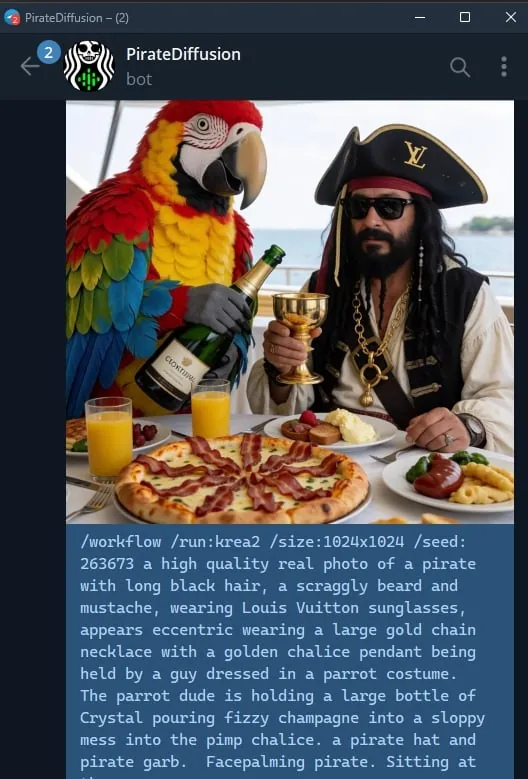
ভিডিও এবং অডিও মডেলগুলো ওয়ার্কফ্লো হিসেবে চলে: /workflow /run: এবং ওয়ার্কফ্লোর স্লাগ, তারপর প্রম্পট। ModelTrends ওয়ার্কফ্লোর ShortCode বক্সে স্লাগ দেখায় /wf /run: হিসেবে, একই কমান্ডের শর্ট ফর্ম।
স্লাগের প্রথম শব্দ বলে ওয়ার্কফ্লো কী নেয়:
video- | টেক্সট থেকে ভিডিও: শুধু প্রম্পট ক্লিপ তৈরি করে। |
animate- | ছবি থেকে ভিডিও: একটি ছবির রিপ্লাই হিসেবে কমান্ড দিন এবং প্রম্পট বলে কি মুভ করবে। |
omni- | উভয়ই: শুধু প্রম্পট থেকে বা রিপ্লাই করা ছবির থেকে কাজ করে। |
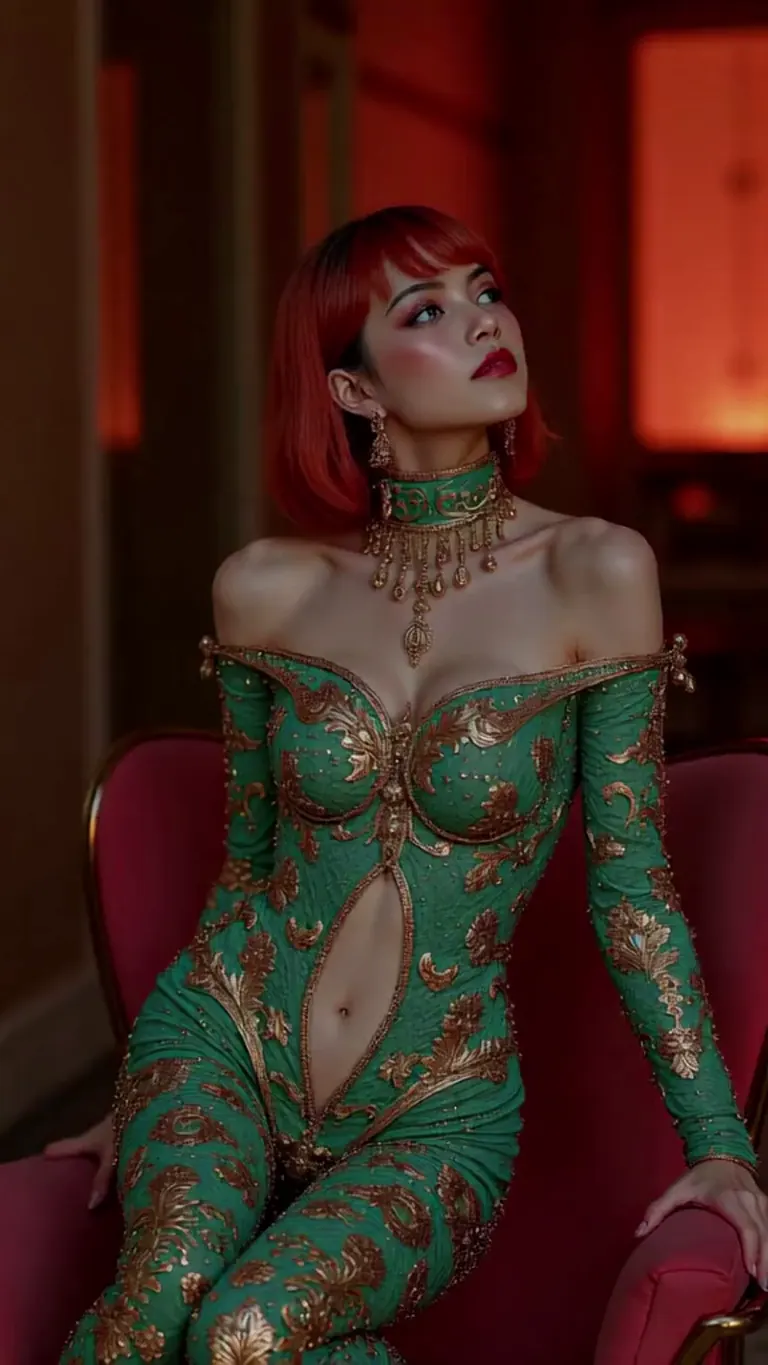
একটি ভিডিও LoRA স্লাগ এবং প্রম্পটের মধ্যে যায়। ছবি ইনপুটের জন্য তৈরি LoRA টেক্সট-টু-ভিডিও ওয়ার্কফ্লোতেও চলে, কিন্তু সেরা কাজ করে যখন আপনি একটি ছবির রিপ্লাই হিসেবে animate ওয়ার্কফ্লো ব্যবহার করেন; নমুনা কার্ডগুলো তাই বলে। একটি লাইভ উদাহরণ:
wan2.2-i2v-high-Screen Flood(屏幕淹水)
/workflow /run:video-wan22 <high-screen-flood-wan> then water suddenly rushes up from the bottom and submerges the entire screen.
ছবি ইনপুট দিয়ে সবচেয়ে ভালো কাজ করে: ছবির উত্তর দিন এবং /run:animate-wan22 ব্যবহার করুন।
Wan · LoRAjeh88615 দ্বারা রেন্ডার via BunchaPrompts
ওয়ার্কফ্লোগুলো অতিরিক্ত মান নেয় স্লটে, যা বার্তার শেষে /slot1: ইত্যাদি দিয়ে লেখা হয়; প্রতিটি ওয়ার্কফ্লোর পৃষ্ঠা বলে তার স্লটগুলো কী করে। মিউজিক ওয়ার্কফ্লোতে লিরিক্স প্রম্পট হিসেবে এবং জেনার একটি স্লটে নেয়।
৭. ModelTrends থেকে প্রম্পট কপি করা
ModelTrends মডেল পৃষ্ঠার প্রতিটি উদাহরণ রেন্ডারে একটি কপি বাটন থাকে যা প্রম্পট এবং সেটিংসসহ PirateDiffusion প্যারামিটার হিসেবে দেয়। /render এবং মডেলের ShortCode এর পরে পেস্ট করুন।
আপনি আপনার নিজের ভাষায় প্রম্পট লিখতে পারেন। /translate যোগ করলে বট রেন্ডারের আগে তা অনুবাদ করে।
/render <krea2> /size:1024x1024 /translate un caballero de fantasía con armadura completa, fondo blanco
দীর্ঘ সংস্করণগুলো (২০২৪ SDXL গাইড)
এই গাইডগুলো ২০২৪ সালে SDXL এর জন্য লেখা হয়েছে। কমান্ডগুলো এখনও কাজ করে; মডেল এবং সাইজগুলো উপরের মতোই।