
Consistent Characters: the Same Person in Every Scene
Guide and renders by Mark White.
Lesson Goals
- Describe a character precisely enough that a model draws the same person every time
- Save a render as a nickname you can reuse in any image-to-image workflow
- Put that character in new scenes, clothes and poses with the Omni workflow while keeping the face
Step 1: Make the character
Consistency starts with the description. Name the face shape, the eyes, the nose, the skin, the haircut and the things the person always wears. Those are the anchors the second model will be told to preserve later, so write them as plain facts, not moods.
This render uses krealism-krea2, a realistic Krea 2 checkpoint, in the workflow command:
/workflow /run:krealism-krea2 /size:896x1024 /images:3 A natural photographic portrait of a 30-year-old woman with a broad oval face, brown eyes, a straight nose, light freckles, and a chin-length dark brown bob with a side part. She wears round gold-rim glasses, small gold hoop earrings, and a mustard-yellow jacket over a charcoal shirt. Chest-up framing, facing the camera with a relaxed expression. Soft window daylight illuminates her face evenly. Natural skin texture and subtle variations in skin tone. Plain warm-gray background, casual unretouched photography.
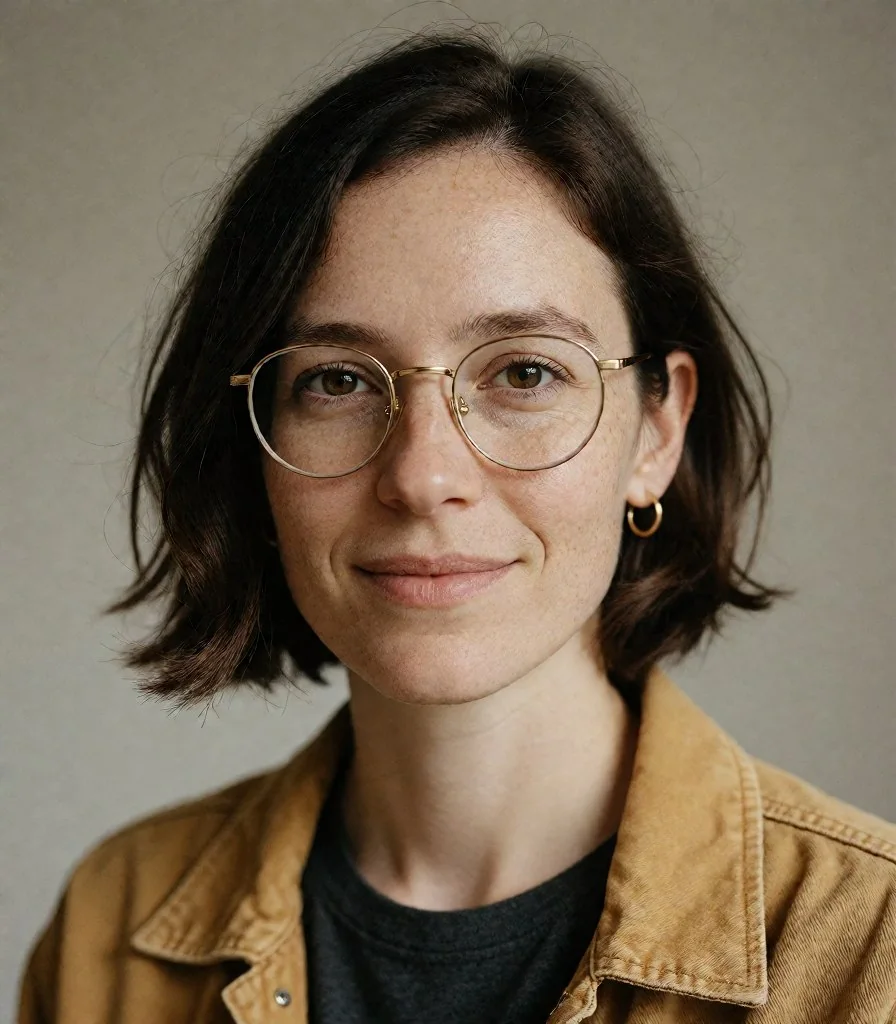
Two small additions make the reference better for the next step. The first asks for ordinary skin instead of a retouched look, so the later renders have real texture to match:
/workflow /run:krealism-krea2 /size:896x1024 /images:3 A natural photographic portrait of a 30-year-old woman with a broad oval face, brown eyes, a straight nose, light freckles, and a chin-length dark brown bob with a side part. She wears round gold-rim glasses, small gold hoop earrings, and a mustard-yellow jacket over a charcoal shirt. Chest-up framing, facing the camera with a relaxed expression. Soft window daylight illuminates her face evenly. Natural skin texture and subtle variations in skin tone. Plain warm-gray background, casual unretouched photography. Ordinary unretouched skin with subtle pores, light freckles, gentle under-eye texture, and soft daylight.
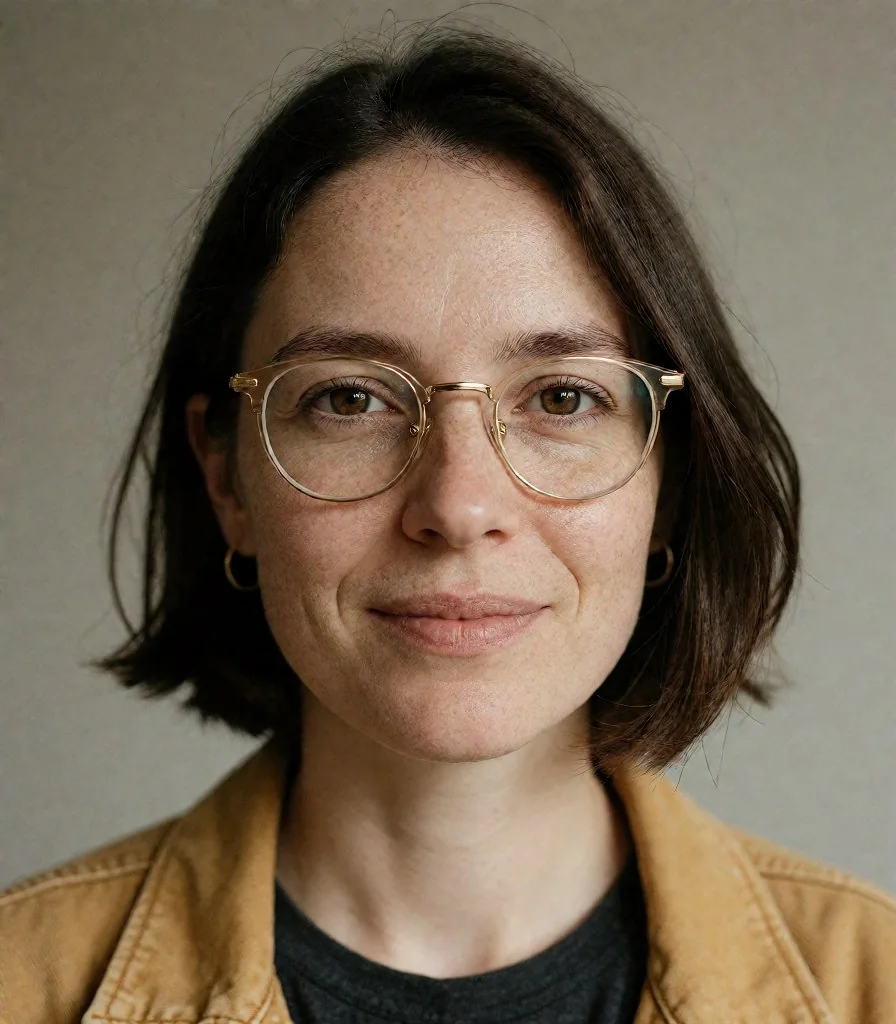
The second asks for even light with every feature clearly visible. A reference with half the face in shadow gives the image-to-image model less to hold on to:
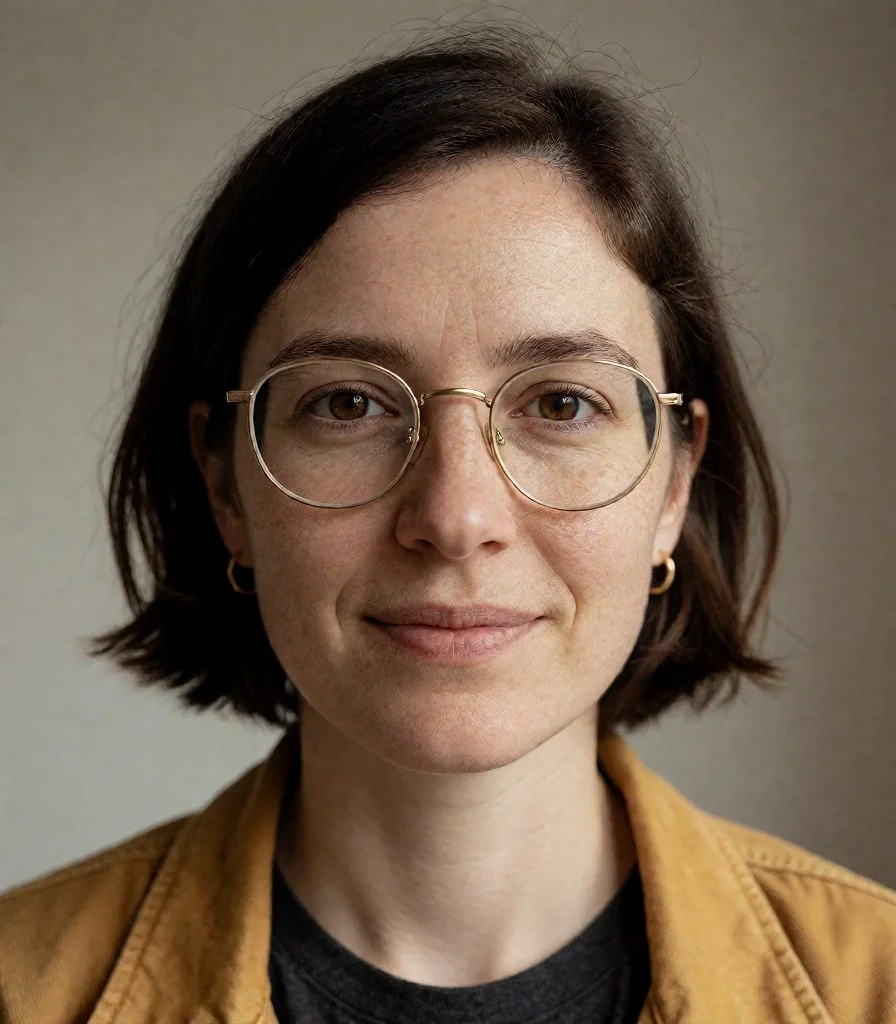
/workflow /run:krealism-krea2 /size:896x1024 /images:3 A natural photographic portrait of a 30-year-old woman with a broad oval face, brown eyes, a straight nose, light freckles, and a chin-length dark brown bob with a side part. She wears round gold-rim glasses, small gold hoop earrings, and a mustard-yellow jacket over a charcoal shirt. Chest-up framing, facing the camera with a relaxed expression. Soft window daylight illuminates her face evenly. Natural skin texture and subtle variations in skin tone. Plain warm-gray background, casual unretouched photography. Ordinary unretouched skin with subtle pores, light freckles, gentle under-eye texture, and soft daylight. Even, soft daylight across the face, with gentle shadows and clearly visible facial features.
Step 2: Save the picture as a nickname
Pick the render you like best. Reply to that picture with the upload command and give it a nickname with the /new parameter. The nickname is a preset you can call in any image-to-image workflow from now on:
/upload /new:mygirl1
To see your nicknamed uploads later, or to check one:
/upload /list
/upload /show:mygirl1
Step 3: Put her in new scenes with Omni
omni-qwen21 is a Qwen image-to-image workflow that takes a reference picture and a prompt. Pass the nickname as /image1 and, in the prompt, say what to preserve before you say what changes. The pattern of every prompt below is the same: the same adult woman shown in the reference image, preserve her face, hair, glasses, earrings and apparent age, then the new scene, clothes, framing and light.
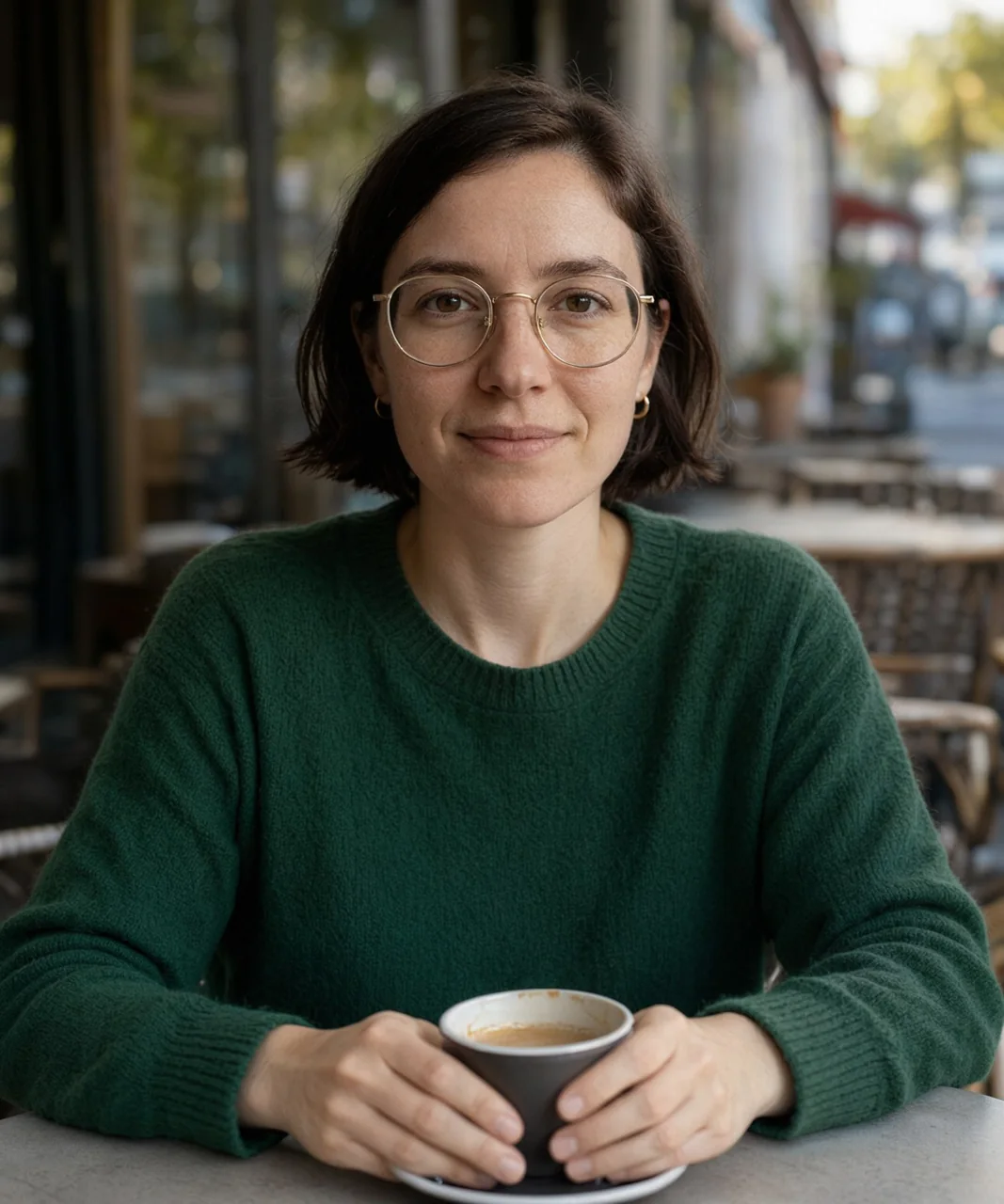
A café, waist-up, new sweater:
/workflow /run:omni-qwen21 /size:1280x1536 /image1:mygirl1 /images:3 Photorealistic casual phone photo of the same adult woman shown in the reference image. Preserve her facial features, short dark brown bob, round gold-rim glasses, small gold hoop earrings, and apparent age. She sits alone at an outdoor café wearing a forest-green sweater, with both hands resting around a coffee cup on the table. Waist-up framing at eye level. Soft morning daylight, ordinary skin texture, no beauty retouching. A softly blurred café terrace behind her, relaxed expression, slightly off-center composition.
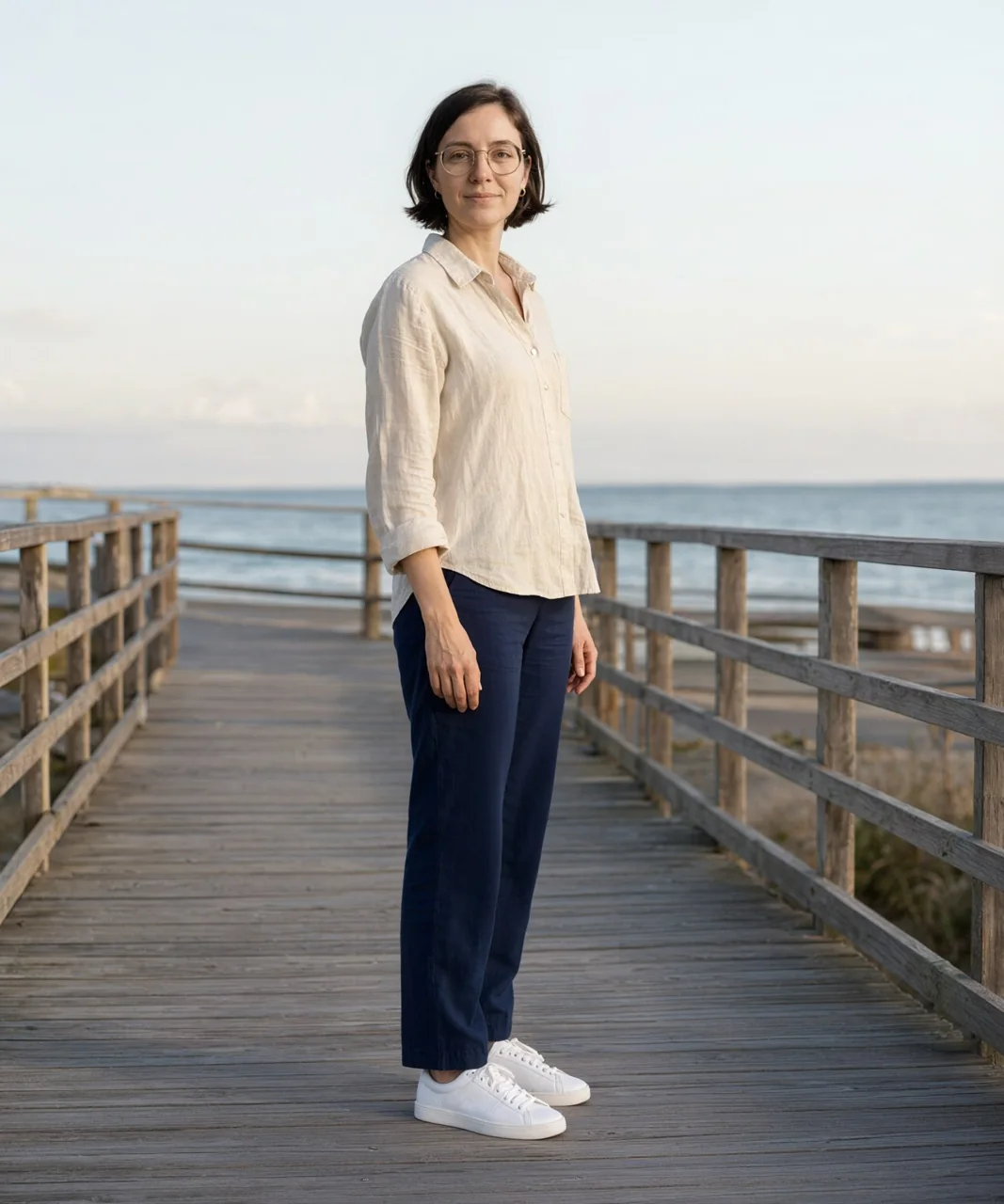
A boardwalk, full body, a whole new outfit. Saying that her shoes must be visible is what keeps the frame wide:
/workflow /run:omni-qwen21 /size:1280x1536 /image1:mygirl1 /images:3 Photorealistic full-body photo of the same adult woman shown in the reference image. Preserve her face, hairstyle, glasses, earrings, and apparent age. She stands on a quiet seaside boardwalk wearing a cream linen shirt, navy trousers, and white trainers. Her body is turned slightly sideways, with her face turned toward the camera and both arms relaxed at her sides. Soft late-afternoon daylight, natural skin texture, no retouching. Wooden railings and the sea behind her. Her entire figure, including her shoes, is visible.
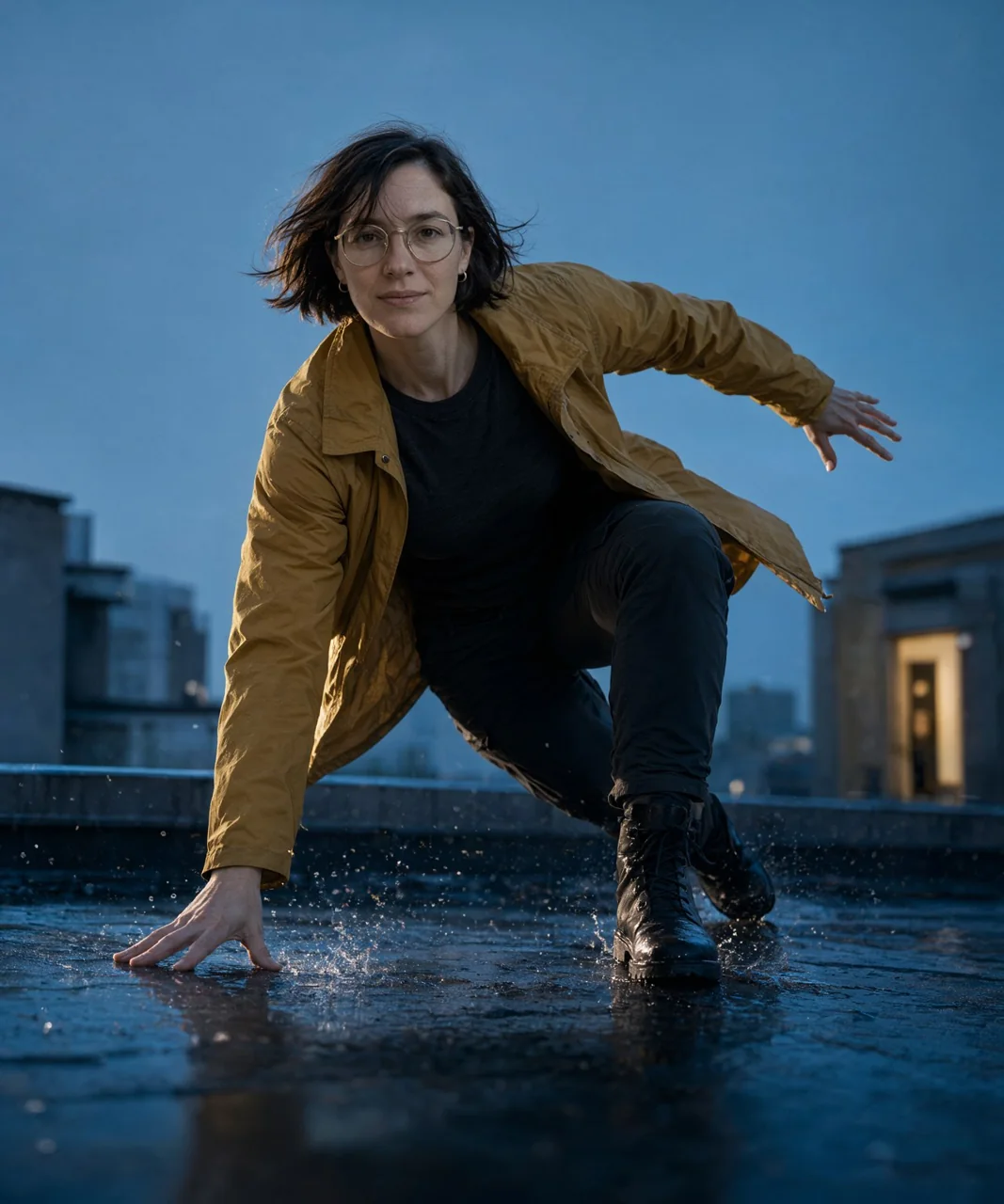
An action shot. The harder the pose, the more the prompt has to describe where every limb is and where the camera stands. Each hand, each foot, the torso and the head get their own sentence, and the face is asked for again at the end:
/workflow /run:omni-qwen21 /size:1280x1536 /image1:mygirl1 /images:3 A cinematic photorealistic action photograph of the same adult woman shown in the reference image. Preserve her facial identity, apparent age, short dark brown bob, round gold-rim glasses, and small gold hoop earrings. Show her entire body in a low athletic crouch on a rain-soaked rooftop, captured at the end of a landing. Her body is seen from a three-quarter side angle, facing toward the left of the image. Her left foot is planted flat in front of her, with her left knee bent close to her chest. Her right leg extends behind her, with the right knee hovering just above the rooftop and the toes touching the ground. Her torso leans forward. Her right palm presses against the wet rooftop beneath her right shoulder, fingers naturally spread to support her weight. Her left arm reaches backward and outward for balance, with a slightly bent elbow and relaxed, separated fingers. Each arm has a clearly readable silhouette. She turns her head toward the camera with a focused expression. Her face remains clearly visible and recognizable, her glasses sit correctly on her nose, and a few loose strands of hair sweep across her forehead. She wears a mustard-yellow weatherproof jacket over a charcoal shirt, dark fitted cargo trousers, and black lace-up boots. The jacket hangs open and lifts slightly behind her, with believable fabric folds at her elbows, waist, and bent knee. The camera is positioned near rooftop level, looking slightly upward, with enough distance to include both hands, both boots, and space around her body. Cool blue evening light illuminates the scene, while a warm rooftop doorway casts a rim of light along her jacket. Small splashes spread beneath her planted boot and supporting hand. Distant city buildings remain softly visible in the background. Her face and body are sharply defined, with slight motion blur limited to airborne droplets and the loose jacket hem. Natural skin texture, realistic anatomy, physically believable balance, detailed photographic finish.
What makes it work
- Facts, not moods. Face shape, eye colour, nose, freckles, haircut, glasses, earrings: the things a model can check. Those same words go into every later prompt.
- A clean reference. Even light, the whole face visible, unretouched skin. The first three renders above are the same prompt getting better at this.
- Preserve first, change second. Every Omni prompt opens with what must stay and only then describes the scene.
- Describe the body for hard poses. A crouch or a jump needs each limb placed in words, and the camera placed too, or the model will crop or invent.
- /images:3 gives you three tries per command. Keep the best, and if a face drifts, re-run with the reference words repeated more plainly.
The nickname works in every image-to-image workflow, not only Omni. The commands reference lists them, and How to prompt covers the parameters used here.