
- PirateDiffusion
- راهنماها
- چطور پرامپت بدهیم
چطور پرامپت بدهیم
PirateDiffusion یک خط فرمان داخل چت است. هر پیام یک رندر میسازد: یک دستور، ShortCode مدل، چند پارامتر و کلمات شما. هر مثال زنده در این صفحه یک رندر واقعی از کاتالوگ ModelTrends است و دستور آن را میتوان دقیقاً همانطور چسباند.
Learn your first command: Skills
Type // to create or edit images and videos. You do not need to learn commands or pick a model first. Begin your request with two slashes and the bot picks the best Skill for it: the model, the workflow and the settings that fit your words. Copy this into the chat:
// a gray chubby cat napping in a sunny garden, photo
A confirmation message appears, then the pictures. The buttons under each result let you vote and upscale it.
Change the words and send it again. The more you describe, the closer the picture gets:
// a gray British shorthair cat asleep among peonies in a big garden, soft morning light, realistic photo
Videos work the same way
Ask for motion and the bot picks a video Skill:
// a short video of waves rolling onto a black sand beach at sunset
Edit a photo
Send a photo into the chat first, then reply to it with your request. Putting the word edit in it helps the bot pick an editing Skill:
// edit, make her hair blonde
Pick a Skill yourself
Every Skill also has a name you can run directly, for example /anime-illustrious a warrior standing in the rain. /skill /list shows the Skills available to you, /skill /show:name describes one, and /skill /tune lets you mute the ones you never want picked for you.
When you want full control
The /render and /workflow commands name the exact model, size, steps and seed yourself. That is what the How to prompt lessons and the commands list are for. The original SDXL beginner lesson, with its /render cat examples and bracket weights, is kept as a 2024 guide.
1. دستور رندر
با /render شروع کن، مدل را در پرانتز نام ببر، سپس بنویس چه میخواهی ببینی. پارامترها کلمات با اسلش هستند و میتوانند هر جایی در پیام باشند.
/render <krea2> /size:1024x1024 A fantasy knight in full armor with helmet. His sword at belt. In neutral pose. White background.
مثالهای این صفحه از <krea2>، مدل پایه Flux Krea، در ۱۰۲۴ پیکسل استفاده میکنند؛ پرامپتها واقعی و از کاتالوگ ModelTrends گرفته شدهاند. بدون نام مدل، ربات از مدل پیشفرض شما استفاده میکند. فقط یک ShortCode متفاوت کافی است تا همان پرامپت را روی مدل دیگری امتحان کنید.
یک مثال زنده: ShortCode، تنظیمات رندر به عنوان پارامترها، پرامپت و منفی آن.
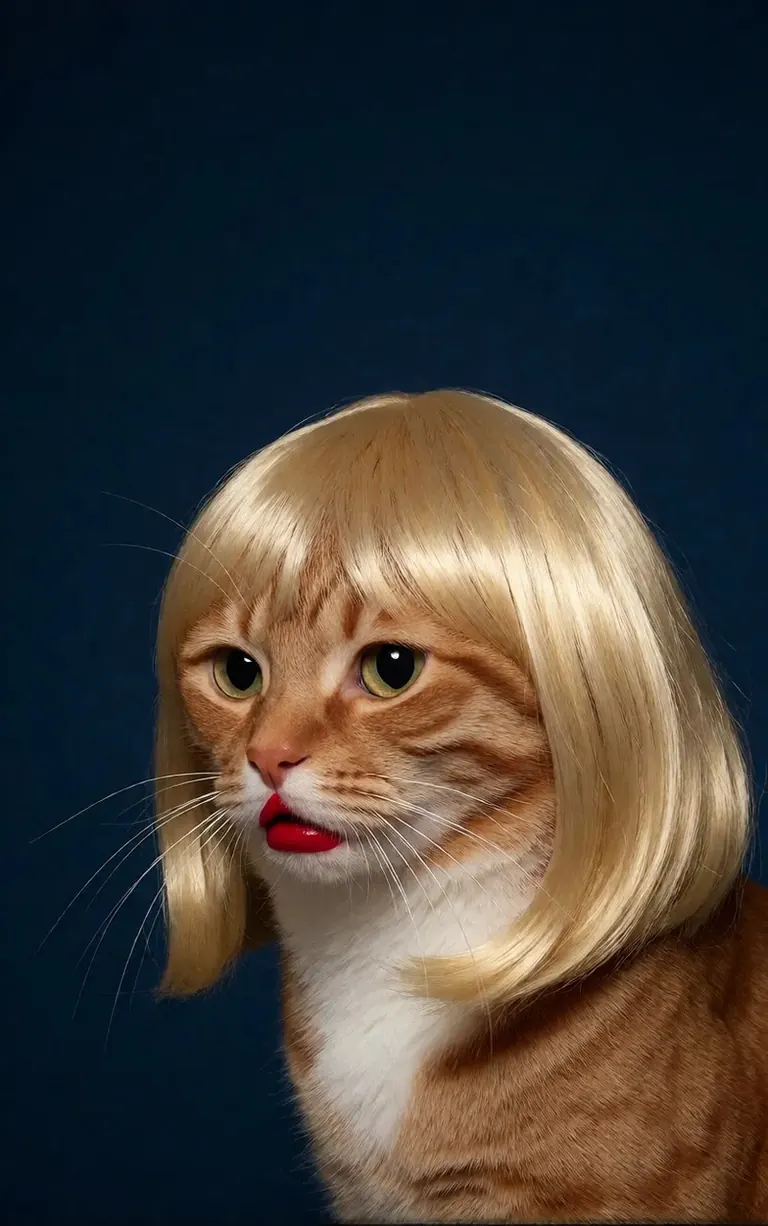
/render <realism-enhancer-krea2> A minimalist, high-contrast studio portrait captures an orange tabby cat wearing a perfectly styled blonde wig with straight bangs, looking off-camera with a grumpy expression and wearing bright red lipstick, featuring rich composition grading and insane sharpness. The cat's smooth, light brown and white fur stands out sharply against a flat, deep dark blue background that serves as a vast expanse of clean negative space. The tight, centered flash composition highlights the realistic texture of the shiny blonde synthetic hair, the cat's long white whiskers, and the glossy red pout, creating a bizarre, authentic, and starkly humorous artistic study.
Krea2 · LoRAرندر توسط 6vidit9 via BunchaPrompts
۲. ShortCodeهای ModelTrends
هر صفحه مدل در ModelTrends.ai یک جعبه ShortCode دارد. آن ShortCode نام مدل در PirateDiffusion است: آن را در دستور وارد کنید و ربات آن مدل را بارگذاری میکند. هزاران مدل، LoRA و embedding از قبل بارگذاری شدهاند، پس نیازی به دانلود نیست.
در ربات، /concepts مدلها را فهرست میکند و /concept /search مدلی را با نام پیدا میکند.
/concepts
/concept /search:anime
کاتالوگ را مرور کنید، یک مدل را باز کنید و ShortCode آن را کپی کنید: ModelTrends.ai
۳. پارامترها
پارامترهای دستورات نمونه، تنظیمات رندر اصلی هستند. آنها را کپی کنید تا همان نوع تصویر را بگیرید؛ دانه (seed) را تغییر دهید تا تصویر جدیدی بسازید.
/size:1024x1024 | عرض و ارتفاع به پیکسل. مدلهای فعلی از ۱۰۲۴ به بالا رندر میکنند؛ ۱۰۲۴x۱۰۲۴ مربع است، ۱۰۲۴x۱۵۳۶ پرتره. |
/portrait /tall /landscape /wide | میانبرهای شکل به جای اندازه. |
/steps:25 | تعداد مراحل حذف نویز رندر؛ بیشتر یعنی کندتر. |
/guidance:7 | چقدر دقیق پرامپت دنبال شود. هر مدل محدوده بهینه خودش را دارد. |
/seed:123456 | دانه تصادفی. همان دانه، guidance، sampler و مدل تصویر یکسانی میدهد. |
/sampler:dpm2m /karras | سامپلر، و /karras برای سامپلرهایی که این حالت را دارند. فقط /sampler آنها را فهرست میکند. |
/clipskip:2 | لایههای آخر انکودر متن را رد میکند؛ بعضی مدلها برای ۲ آموزش دیدهاند. |
/images:4 | چند تصویر از یک دستور ساخته شود. |
پارامترها در همه زبانها به انگلیسی میمانند، ربات آنها را همانطور که نوشته شده میخواند.
۴. وزنها، مثبتها و منفیها
دوتا پرانتز گرد باعث میشود یک کلمه بیشتر شمرده شود، دوتا کروشه باعث کمتر شمرده شدن. منفی، چیزهایی که نباید در تصویر باشند، معمولاً در کروشه نوشته میشود و اغلب در انتهاست.
/render <krea2> /size:1024x1024 sketch painting, a rock climber scaling a ((steep cliff)), icy winds, frozen landscape [[blurry, text, watermark]]
پرامپتهای کپی شده از ابزارهای دیگر اغلب وزن (word:1.3) دارند. /parser:new را اضافه کنید تا ربات آنها را بخواند.
/render <krea2> /size:1024x1024 /parser:new sketch painting, a rock climber scaling a (steep cliff:1.3), icy winds, frozen landscape
در مدلهای SDXL یک embedding منفی داخل منفی با قدرت مشخص میرود، مثل این:
[[<fastnegative-xl:-2>]]
۵. LoRAها و دستورها
LoRA یک مدل کوچک است که یک چیز اضافه میکند: یک شخصیت، سبک، حرکت دوربین. آن هم ShortCode دارد و به همان شکل، در دستور با پرامپت استفاده میشود. صفحات ModelTrends میگویند LoRA برای کدام مدل پایه ساخته شده؛ برای بهترین نتیجه آن را با همان مدل پایه جفت کنید.
/render <realism-enhancer-krea2> A minimalist, high-contrast studio portrait captures an orange tabby cat wearing a perfectly styled blonde wig with straight bangs, looking off-camera with a grumpy expression and wearing bright red lipstick, featuring rich composition grading and insane sharpness. The cat's smooth, light brown and white fur stands out sharply against a flat, deep dark blue background that serves as a vast expanse of clean negative space. The tight, centered flash composition highlights the realistic texture of the shiny blonde synthetic hair, the cat's long white whiskers, and the glossy red pout, creating a bizarre, authentic, and starkly humorous artistic study.
Krea2 · LoRAرندر توسط 6vidit9 via BunchaPrompts
دستور (recipe) یک بسته ذخیره شده از کلمات و تنظیمات است که با هشتگ خودش فراخوانی میشود. /recipes آنها را فهرست میکند.
/render <krea2> /size:1024x1024 a fantasy knight in full armor, white background #boost
۶. جریانهای کاری: تصاویر، ویدیو و موسیقی
یک جریان کاری یک کار تمامشده است که روی سرورهای Graydient اجرا میشود: مدلها و تنظیمات مناسب را بارگذاری میکند، بنابراین شما فقط فرمان را ارسال میکنید. جریانهای کاری تصویر همان پارامترهای /render را میگیرند. به عنوان مثال، جریان کاری Krea2:
/workflow /run:krea2 /size:1024x1024 a high quality real photo of a pirate with long black hair, a scraggly beard and mustache, wearing sunglasses, a gold chain necklace and a golden chalice, having pizza with a giant parrot pouring him champagne
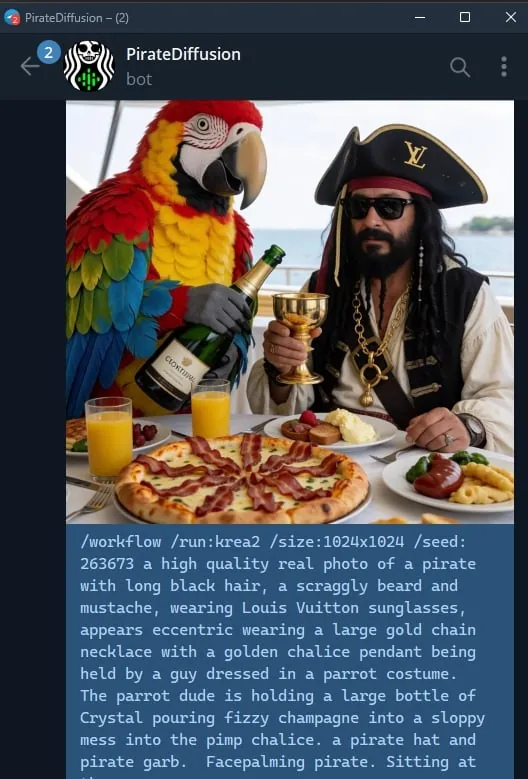
مدلهای ویدئو و صوت به صورت جریان کاری اجرا میشوند: /workflow /run: و شناسه جریان، سپس پرامپت. ModelTrends شناسه را در جعبه ShortCode جریان کاری به صورت /wf /run: نشان میدهد، شکل کوتاه همان دستور.
کلمه اول شناسه میگوید جریان کاری چه چیزی میگیرد:
video- | متن به ویدئو: فقط پرامپت کلیپ را میسازد. |
animate- | تصویر به ویدئو: به یک عکس پاسخ دهید با دستور و پرامپت میگوید چه چیزی حرکت کند. |
omni- | هر دو: یا فقط از پرامپت کار میکند یا از عکسی که پاسخ دادهاید. |
یک LoRA ویدئویی بین شناسه و پرامپت میرود. LoRA ساخته شده برای ورودی تصویر هنوز در جریان کاری متن به ویدئو اجرا میشود، اما بهترین کارایی وقتی است که به یک عکس با جریان animate پاسخ دهید؛ کارتهای نمونه این را میگویند. یک مثال زنده:
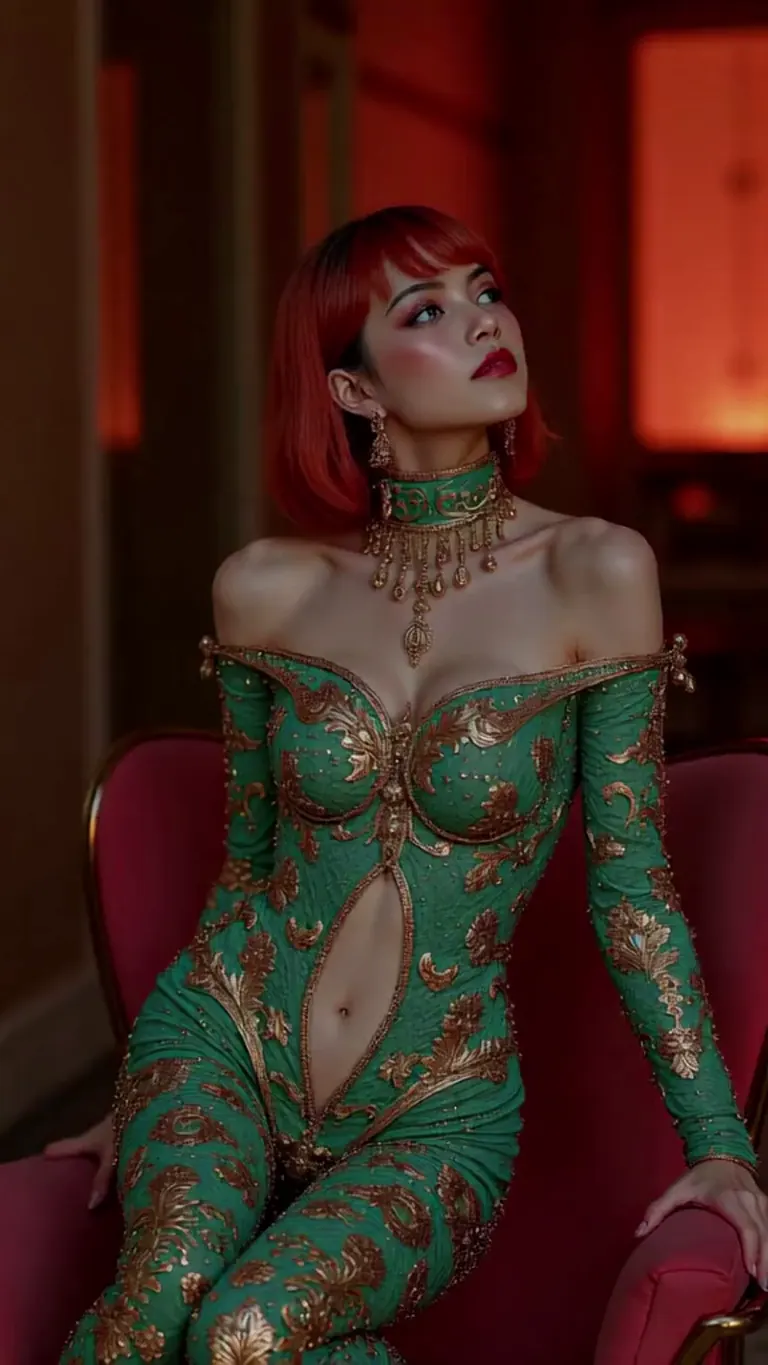
wan2.2-i2v-high-Screen Flood(屏幕淹水)
/workflow /run:video-wan22 <high-screen-flood-wan> then water suddenly rushes up from the bottom and submerges the entire screen.
بهترین عملکرد با ورودی تصویر: به یک عکس پاسخ بده و به جای آن از /run:animate-wan22 استفاده کن.
Wan · LoRAرندر توسط jeh88615 via BunchaPrompts
جریانهای کاری مقادیر اضافی در اسلاتها میگیرند، به صورت /slot1: و غیره در انتهای پیام نوشته میشود؛ صفحه هر جریان کاری میگوید اسلاتها چه کاری میکنند. جریانهای موسیقی متن را به عنوان پرامپت و ژانر را در یک اسلات میگیرند.
۷. کپی کردن پرامپت از ModelTrends
هر رندر نمونه در صفحه مدل ModelTrends دکمه کپی دارد که پرامپت را با تنظیماتش به صورت پارامترهای PirateDiffusion میدهد. آن را بعد از /render و ShortCode مدل بچسبانید.
میتوانید پرامپت را به زبان خودتان بنویسید. /translate را اضافه کنید تا ربات قبل از رندر ترجمه کند.
/render <krea2> /size:1024x1024 /translate un caballero de fantasía con armadura completa, fondo blanco
نسخههای کاملتر (راهنمای SDXL ۲۰۲۴)
این راهنماها برای SDXL در ۲۰۲۴ نوشته شدهاند. دستورات هنوز کار میکنند؛ مدلها و اندازهها همانهایی هستند که بالاتر گفته شد.