
- PirateDiffusion
- מדריכים
- איך לפרומפט
איך לפרומפט
PirateDiffusion היא שורת פקודה בתוך צ'אט. הודעה אחת יוצרת רינדור אחד: פקודה, קוד הקיצור של הדגם, כמה פרמטרים והמילים שלך. כל דוגמה חיה בדף הזה היא רינדור אמיתי מתוך קטלוג ModelTrends, וניתן להדביק את הפקודה כפי שהיא.
Learn your first command: Skills
Type // to create or edit images and videos. You do not need to learn commands or pick a model first. Begin your request with two slashes and the bot picks the best Skill for it: the model, the workflow and the settings that fit your words. Copy this into the chat:
// a gray chubby cat napping in a sunny garden, photo
A confirmation message appears, then the pictures. The buttons under each result let you vote and upscale it.
Change the words and send it again. The more you describe, the closer the picture gets:
// a gray British shorthair cat asleep among peonies in a big garden, soft morning light, realistic photo
Videos work the same way
Ask for motion and the bot picks a video Skill:
// a short video of waves rolling onto a black sand beach at sunset
Edit a photo
Send a photo into the chat first, then reply to it with your request. Putting the word edit in it helps the bot pick an editing Skill:
// edit, make her hair blonde
Pick a Skill yourself
Every Skill also has a name you can run directly, for example /anime-illustrious a warrior standing in the rain. /skill /list shows the Skills available to you, /skill /show:name describes one, and /skill /tune lets you mute the ones you never want picked for you.
When you want full control
The /render and /workflow commands name the exact model, size, steps and seed yourself. That is what the How to prompt lessons and the commands list are for. The original SDXL beginner lesson, with its /render cat examples and bracket weights, is kept as a 2024 guide.
1. פקודת הרינדור
מתחילים עם /render, מציינים את הדגם בסוגריים זוויתיים, ואז כותבים מה רוצים לראות. הפרמטרים הם מילים עם סלש ויכולים לעמוד בכל מקום בהודעה.
/render <krea2> /size:1024x1024 A fantasy knight in full armor with helmet. His sword at belt. In neutral pose. White background.
הדוגמאות בעמוד הזה משתמשות ב-<krea2>, דגם הבסיס Flux Krea, ברזולוציה של 1024 פיקסלים; ההנחיות הן אמיתיות מתוך קטלוג ModelTrends. בלי שם דגם הבוט משתמש בדגם ברירת המחדל שלך. קוד קצר שונה זה כל מה שצריך כדי לנסות את אותה הנחיה על דגם אחר.
דוגמה חיה: הקוד הקצר, הגדרות הרינדור כפרמטרים, ההנחיה והשלילה שלה.
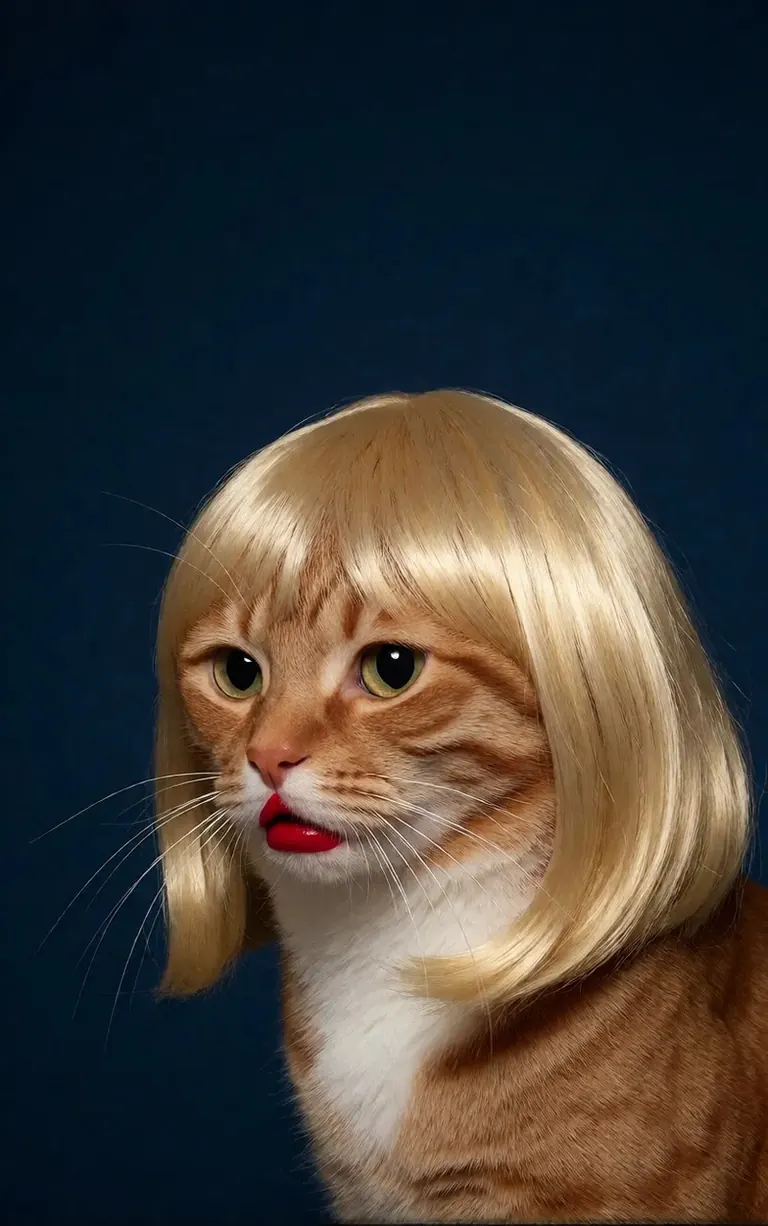
/render <realism-enhancer-krea2> A minimalist, high-contrast studio portrait captures an orange tabby cat wearing a perfectly styled blonde wig with straight bangs, looking off-camera with a grumpy expression and wearing bright red lipstick, featuring rich composition grading and insane sharpness. The cat's smooth, light brown and white fur stands out sharply against a flat, deep dark blue background that serves as a vast expanse of clean negative space. The tight, centered flash composition highlights the realistic texture of the shiny blonde synthetic hair, the cat's long white whiskers, and the glossy red pout, creating a bizarre, authentic, and starkly humorous artistic study.
Krea2 · LoRAרינדור על ידי 6vidit9 via BunchaPrompts
2. קודי קצר של ModelTrends
כל דף דגם ב-ModelTrends.ai מציג תיבת קוד קצר. הקוד הקצר הזה הוא שם הדגם בתוך PirateDiffusion: הכנס אותו לפקודה והבוט טוען את הדגם הזה. אלפי דגמים, LoRA והטמעות טעונים מראש, כך שאין צורך בהורדה.
בבוט, /concepts מציג את הדגמים ו-/concept /search מוצא דגם לפי שם.
/concepts
/concept /search:anime
עיין בקטלוג, פתח דגם והעתק את הקוד הקצר שלו: ModelTrends.ai
3. פרמטרים
הפרמטרים בפקודות הדוגמה הם הגדרות הרינדור המקורי. העתק אותם כדי לקבל תמונה דומה; שנה את ה-seed כדי לקבל תמונה חדשה.
/size:1024x1024 | רוחב וגובה בפיקסלים. דגמים נוכחיים מרנדרים ב-1024 ומעלה; 1024x1024 הוא ריבוע, 1024x1536 הוא פורטרט. |
/portrait /tall /landscape /wide | קיצורי צורה במקום גודל. |
/steps:25 | כמה שלבי הסרת רעש הרינדור מבצע; יותר שלבים זה איטי יותר. |
/guidance:7 | כמה בקפדנות ההנחיה מתבצעת. לכל דגם יש טווח מיטבי משלו. |
/seed:123456 | ה-seed האקראי. אותו seed, guidance, sampler ודגם נותנים את אותה תמונה שוב. |
/sampler:dpm2m /karras | ה-sampler, ו-/karras עבור samplers שיש להם מצב זה. /sampler לבד מציג את כולם. |
/clipskip:2 | מדלג על השכבות האחרונות של מקודד הטקסט; חלק מהדגמים מאומנים ל-2. |
/images:4 | כמה תמונות ליצור מפקודה אחת. |
הפרמטרים נשארים באנגלית בכל שפה, הבוט קורא אותם כפי שהם.
4. משקלים, חיוביים ושליליים
סוגריים כפולות גורמות למילה להיספר יותר, סוגריים מרובעים כפולים גורמים להיספר פחות. השלילה, הדברים שיש להוציא מהתמונה, גם היא בסוגריים מרובעים, בדרך כלל בסוף.
/render <krea2> /size:1024x1024 sketch painting, a rock climber scaling a ((steep cliff)), icy winds, frozen landscape [[blurry, text, watermark]]
הנחיות שהועתקו מכלים אחרים לעיתים נושאות משקלים כמו (word:1.3). הוסף /parser:new והבוט יקרא אותם.
/render <krea2> /size:1024x1024 /parser:new sketch painting, a rock climber scaling a (steep cliff:1.3), icy winds, frozen landscape
בדגמי SDXL הטמעה שלילית נכנסת לתוך השלילה עם עוצמה, כך:
[[<fastnegative-xl:-2>]]
5. LoRA ומתכונים
LoRA הוא דגם קטן שמוסיף דבר אחד: דמות, סגנון, תנועת מצלמה. יש לו גם קוד קצר ומשתמשים בו באותה דרך, בפקודה עם ההנחיה. דפי ModelTrends מציינים לאיזה דגם בסיסי LoRA נוצר; השתמש בו עם אותו בסיס לתוצאה הטובה ביותר.
/render <realism-enhancer-krea2> A minimalist, high-contrast studio portrait captures an orange tabby cat wearing a perfectly styled blonde wig with straight bangs, looking off-camera with a grumpy expression and wearing bright red lipstick, featuring rich composition grading and insane sharpness. The cat's smooth, light brown and white fur stands out sharply against a flat, deep dark blue background that serves as a vast expanse of clean negative space. The tight, centered flash composition highlights the realistic texture of the shiny blonde synthetic hair, the cat's long white whiskers, and the glossy red pout, creating a bizarre, authentic, and starkly humorous artistic study.
Krea2 · LoRAרינדור על ידי 6vidit9 via BunchaPrompts
מתכון הוא חבילה שמורה של מילים והגדרות, נקראת לפי ההאשטאג שלה. /recipes מציג אותם.
/render <krea2> /size:1024x1024 a fantasy knight in full armor, white background #boost
6. זרימות עבודה: תמונות, וידאו ומוזיקה
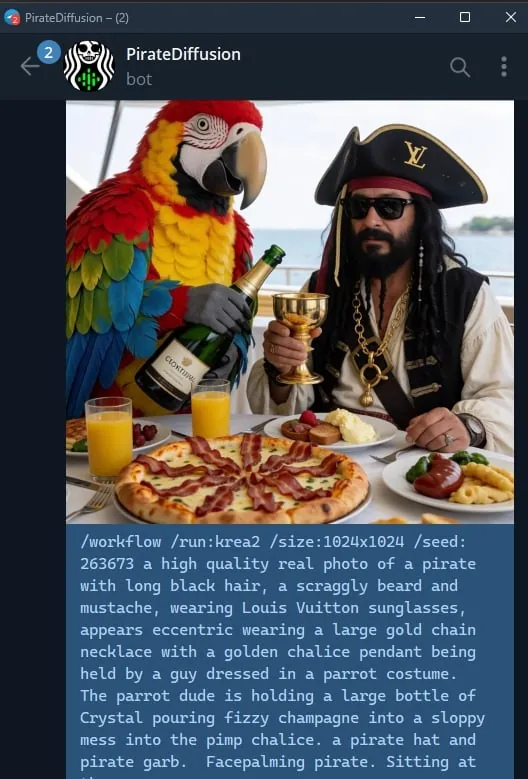
זרימת עבודה היא משימה גמורה שרצה על השרתים של Graydient: היא טוענת את הדגמים וההגדרות הנכונות, כך שאתה רק שולח את הפקודה. זרימות עבודה לתמונות מקבלות את אותם הפרמטרים כמו /render. לדוגמה, זרימת העבודה Krea2:
/workflow /run:krea2 /size:1024x1024 a high quality real photo of a pirate with long black hair, a scraggly beard and mustache, wearing sunglasses, a gold chain necklace and a golden chalice, having pizza with a giant parrot pouring him champagne
דגמי וידאו ואודיו פועלים כזרימות עבודה: /workflow /run: ואחריו הסלאג של הזרימה, ואז ההנחיה. ModelTrends מציג את הסלאג בתיבת קוד קצר של זרימת העבודה כ-/wf /run:, הצורה הקצרה של אותה פקודה.
המילה הראשונה בסלאג אומרת מה הזרימה מקבלת:
video- | טקסט לווידאו: ההנחיה בלבד יוצרת את הקליפ. |
animate- | תמונה לווידאו: תגובה לתמונה עם הפקודה וההנחיה אומרת מה זז. |
omni- | אחד משניהם: עובד מהנחיה בלבד או מתמונה שאתה מגיב לה. |
LoRA לווידאו נכנס בין הסלאג להנחיה. LoRA שנוצר לקלט תמונה עדיין פועל בזרימת טקסט לווידאו, אבל עובד הכי טוב כשאתה מגיב לתמונה עם זרימת האנימציה; כרטיסי הדוגמה מציינים זאת. דוגמה חיה:
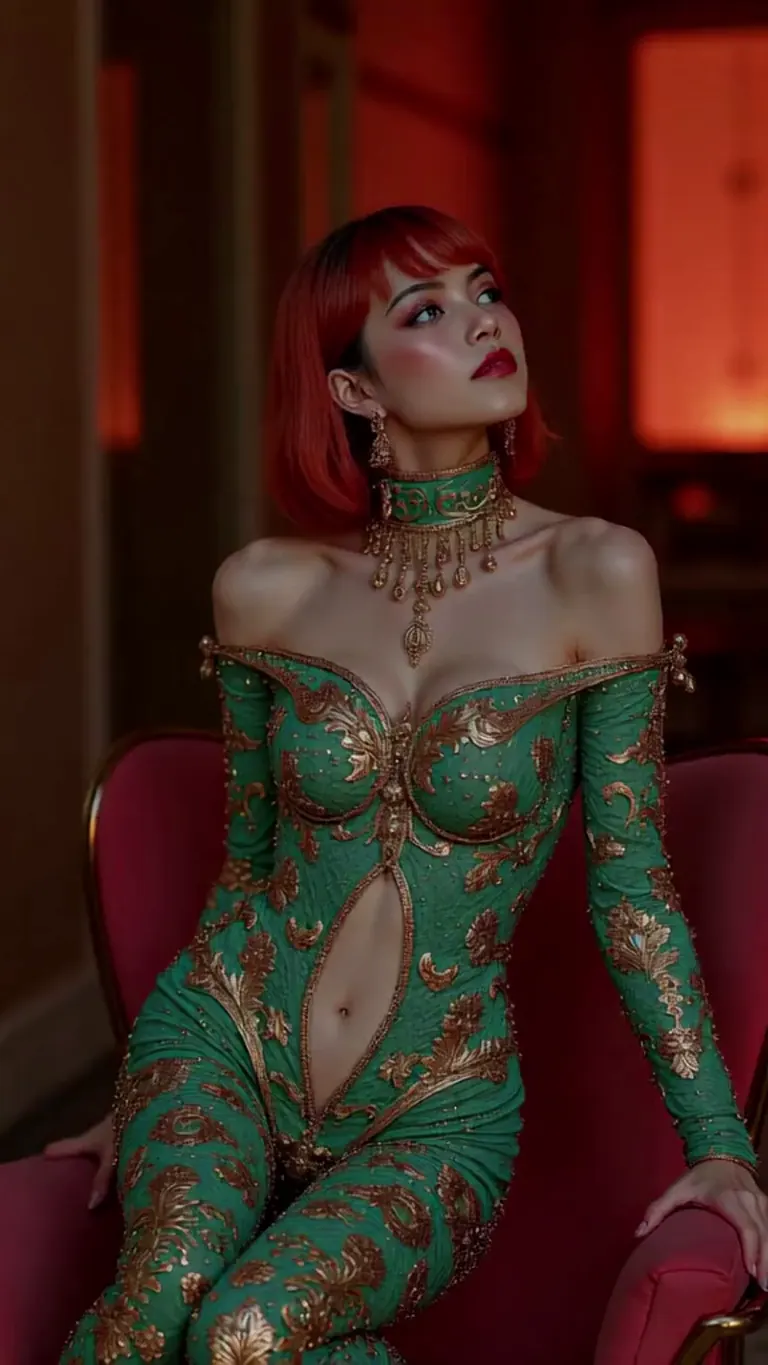
wan2.2-i2v-high-Screen Flood(屏幕淹水)
/workflow /run:video-wan22 <high-screen-flood-wan> then water suddenly rushes up from the bottom and submerges the entire screen.
עובד הכי טוב עם קלט תמונה: השב לתמונה והשתמש ב-/run:animate-wan22 במקום.
Wan · LoRAרינדור על ידי jeh88615 via BunchaPrompts
זרימות עבודה מקבלות ערכים נוספים בחריצים, נכתבים /slot1: וכן הלאה בסוף ההודעה; דף כל זרימה אומר מה תפקיד החריצים שלה. זרימות מוזיקה מקבלות את המילים כהנחיה ואת הז'אנר בחריץ.
7. העתק הנחיה מ-ModelTrends
כל רינדור לדוגמה בדף דגם ב-ModelTrends כולל כפתור העתק שמספק את ההנחיה עם ההגדרות כבר כתובות כפרמטרים של PirateDiffusion. הדבק אחרי /render ואת קוד הקצר של הדגם.
אתה יכול לכתוב את ההנחיה בשפה שלך. הוסף /translate והבוט יתרגם אותה לפני הרינדור.
/render <krea2> /size:1024x1024 /translate un caballero de fantasía con armadura completa, fondo blanco
הגרסאות המלאות (המדריכים של SDXL 2024)
המדריכים האלה נכתבו עבור SDXL בשנת 2024. הפקודות עדיין עובדות; הדגמים והגדלים הם אלו שמופיעים למעלה.