
- PirateDiffusion
- 가이드
- 프롬프트 방법
프롬프트 방법
PirateDiffusion은 채팅 안의 명령줄입니다. 한 메시지가 하나의 렌더를 만듭니다: 명령어, 모델 ShortCode, 몇 가지 매개변수, 그리고 당신의 말. 이 페이지의 모든 실시간 예제는 ModelTrends 카탈로그에서 실제 렌더이며, 명령어를 그대로 붙여넣을 수 있습니다.
Learn your first command: Skills
Type // to create or edit images and videos. You do not need to learn commands or pick a model first. Begin your request with two slashes and the bot picks the best Skill for it: the model, the workflow and the settings that fit your words. Copy this into the chat:
// a gray chubby cat napping in a sunny garden, photo
A confirmation message appears, then the pictures. The buttons under each result let you vote and upscale it.
Change the words and send it again. The more you describe, the closer the picture gets:
// a gray British shorthair cat asleep among peonies in a big garden, soft morning light, realistic photo
Videos work the same way
Ask for motion and the bot picks a video Skill:
// a short video of waves rolling onto a black sand beach at sunset
Edit a photo
Send a photo into the chat first, then reply to it with your request. Putting the word edit in it helps the bot pick an editing Skill:
// edit, make her hair blonde
Pick a Skill yourself
Every Skill also has a name you can run directly, for example /anime-illustrious a warrior standing in the rain. /skill /list shows the Skills available to you, /skill /show:name describes one, and /skill /tune lets you mute the ones you never want picked for you.
When you want full control
The /render and /workflow commands name the exact model, size, steps and seed yourself. That is what the How to prompt lessons and the commands list are for. The original SDXL beginner lesson, with its /render cat examples and bracket weights, is kept as a 2024 guide.
1. 렌더 명령어
/render로 시작하고, 꺾쇠 괄호 안에 모델 이름을 적은 뒤 보고 싶은 내용을 씁니다. 매개변수는 슬래시 단어이며 메시지 어디에나 올 수 있습니다.
/render <krea2> /size:1024x1024 A fantasy knight in full armor with helmet. His sword at belt. In neutral pose. White background.
이 페이지의 예제들은 1024 픽셀에서 Flux Krea 기본 모델인 <krea2>를 사용하며, 프롬프트는 ModelTrends 카탈로그에서 실제로 가져온 것입니다. 모델 이름이 없으면 봇은 기본 모델을 사용합니다. 다른 ShortCode만 입력하면 같은 프롬프트를 다른 모델에서 시도할 수 있습니다.
실시간 예제: ShortCode, 렌더 설정을 매개변수로, 프롬프트와 네거티브.
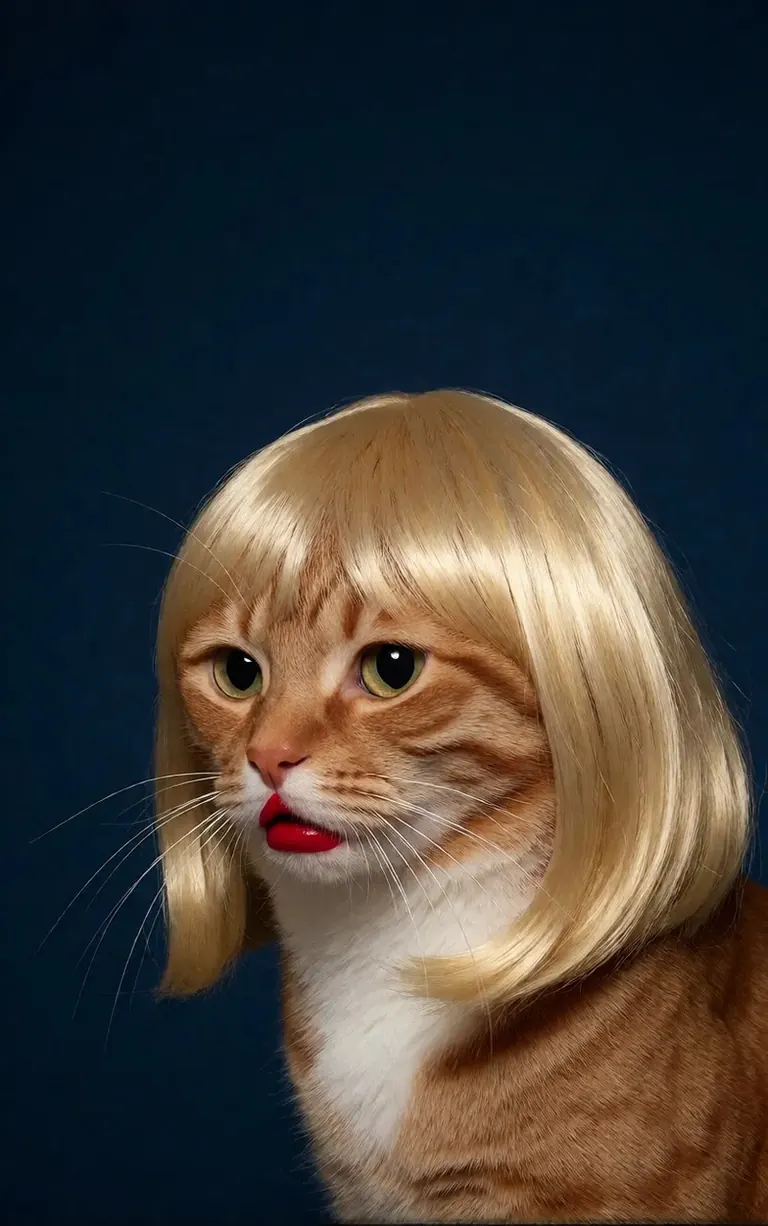
/render <realism-enhancer-krea2> A minimalist, high-contrast studio portrait captures an orange tabby cat wearing a perfectly styled blonde wig with straight bangs, looking off-camera with a grumpy expression and wearing bright red lipstick, featuring rich composition grading and insane sharpness. The cat's smooth, light brown and white fur stands out sharply against a flat, deep dark blue background that serves as a vast expanse of clean negative space. The tight, centered flash composition highlights the realistic texture of the shiny blonde synthetic hair, the cat's long white whiskers, and the glossy red pout, creating a bizarre, authentic, and starkly humorous artistic study.
Krea2 · LoRA6vidit9 제작 via BunchaPrompts
2. ModelTrends ShortCodes
ModelTrends.ai의 모든 모델 페이지에는 ShortCode 박스가 있습니다. 그 ShortCode는 PirateDiffusion 내 모델 이름으로, 명령어에 넣으면 봇이 해당 모델을 불러옵니다. 수천 개의 모델, LoRA, 임베딩이 미리 로드되어 있어 다운로드할 필요가 없습니다.
봇에서 /concepts는 모델 목록을 보여주고 /concept /search는 이름으로 찾습니다.
/concepts
/concept /search:anime
카탈로그를 탐색하고 모델을 열어 ShortCode를 복사하세요: ModelTrends.ai
3. 매개변수
샘플 명령어의 매개변수는 원본 렌더 설정입니다. 복사하면 같은 종류의 그림을 얻을 수 있고, 시드를 바꾸면 새 그림이 생성됩니다.
/size:1024x1024 | 픽셀 단위의 가로 및 세로 크기. 현재 모델은 1024 이상에서 렌더링하며, 1024x1024는 정사각형, 1024x1536은 세로형입니다. |
/portrait /tall /landscape /wide | 크기 대신 모양 단축키. |
/steps:25 | 렌더링에 사용하는 노이즈 제거 단계 수; 많을수록 느립니다. |
/guidance:7 | 프롬프트 준수 정도. 각 모델마다 최적 범위가 다릅니다. |
/seed:123456 | 랜덤 시드. 같은 시드, 가이드, 샘플러, 모델이면 같은 그림이 나옵니다. |
/sampler:dpm2m /karras | 샘플러, /karras는 해당 모드가 있는 샘플러용. /sampler만 입력하면 목록을 보여줍니다. |
/clipskip:2 | 텍스트 인코더의 마지막 레이어를 건너뜁니다; 일부 모델은 2로 훈련됨. |
/images:4 | 한 명령어로 생성할 그림 수. |
매개변수는 모든 언어에서 영어로 유지되며, 봇은 그대로 읽습니다.
4. 가중치, 긍정 및 부정
이중 괄호는 단어 가중치를 높이고, 이중 대괄호는 낮춥니다. 부정어는 보통 대괄호 안에 넣으며, 그림에서 제외할 내용을 나타냅니다.
/render <krea2> /size:1024x1024 sketch painting, a rock climber scaling a ((steep cliff)), icy winds, frozen landscape [[blurry, text, watermark]]
다른 도구에서 복사한 프롬프트는 (단어:1.3) 같은 가중치를 포함할 수 있습니다. /parser:new를 추가하면 봇이 이를 읽습니다.
/render <krea2> /size:1024x1024 /parser:new sketch painting, a rock climber scaling a (steep cliff:1.3), icy winds, frozen landscape
SDXL 모델에서는 부정 임베딩을 강도와 함께 부정어 안에 넣습니다, 예:
[[<fastnegative-xl:-2>]]
5. LoRA와 레시피
LoRA는 캐릭터, 스타일, 카메라 움직임 등 한 가지를 추가하는 작은 모델입니다. ShortCode도 있으며 프롬프트와 함께 명령어에 사용합니다. ModelTrends 페이지에서 LoRA가 어떤 기본 모델용인지 알려주며, 그 기본 모델과 함께 쓰면 최상의 결과를 얻습니다.
/render <realism-enhancer-krea2> A minimalist, high-contrast studio portrait captures an orange tabby cat wearing a perfectly styled blonde wig with straight bangs, looking off-camera with a grumpy expression and wearing bright red lipstick, featuring rich composition grading and insane sharpness. The cat's smooth, light brown and white fur stands out sharply against a flat, deep dark blue background that serves as a vast expanse of clean negative space. The tight, centered flash composition highlights the realistic texture of the shiny blonde synthetic hair, the cat's long white whiskers, and the glossy red pout, creating a bizarre, authentic, and starkly humorous artistic study.
Krea2 · LoRA6vidit9 제작 via BunchaPrompts
레시피는 단어와 설정을 저장한 묶음으로, 해시태그로 호출합니다. /recipes로 목록을 볼 수 있습니다.
/render <krea2> /size:1024x1024 a fantasy knight in full armor, white background #boost
6. 워크플로우: 이미지, 비디오 및 음악
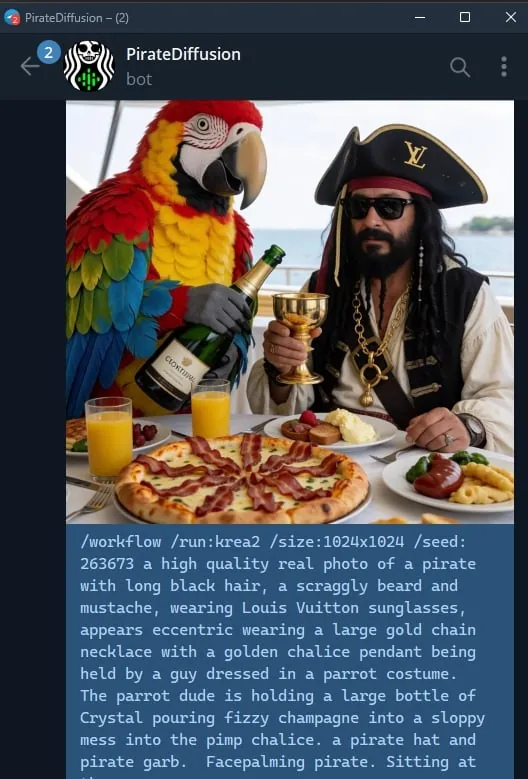
워크플로우는 Graydient 서버에서 실행되는 완성된 작업입니다: 올바른 모델과 설정을 불러와서 명령만 보내면 됩니다. 이미지 워크플로우는 /render와 동일한 매개변수를 사용합니다. 예를 들어 Krea2 워크플로우:
/workflow /run:krea2 /size:1024x1024 a high quality real photo of a pirate with long black hair, a scraggly beard and mustache, wearing sunglasses, a gold chain necklace and a golden chalice, having pizza with a giant parrot pouring him champagne
비디오 및 오디오 모델은 워크플로우로 실행됩니다: /workflow /run:와 워크플로우 슬러그, 그리고 프롬프트. ModelTrends는 워크플로우 ShortCode 박스에 /wf /run:으로 슬러그를 표시합니다, 같은 명령어의 축약형입니다.
슬러그의 첫 단어는 워크플로우 입력 유형을 나타냅니다:
video- | 텍스트에서 비디오: 프롬프트만으로 클립 생성. |
animate- | 이미지에서 비디오: 그림에 답글로 명령어를 보내면 프롬프트가 움직임을 지정. |
omni- | 둘 다 가능: 프롬프트만으로 또는 답글로 보낸 그림에서 작동. |
비디오 LoRA는 슬러그와 프롬프트 사이에 넣습니다. 이미지 입력용 LoRA도 텍스트-비디오 워크플로우에서 작동하지만, animate 워크플로우로 그림에 답글할 때 가장 잘 작동합니다; 샘플 카드에 표시되어 있습니다. 실시간 예제:
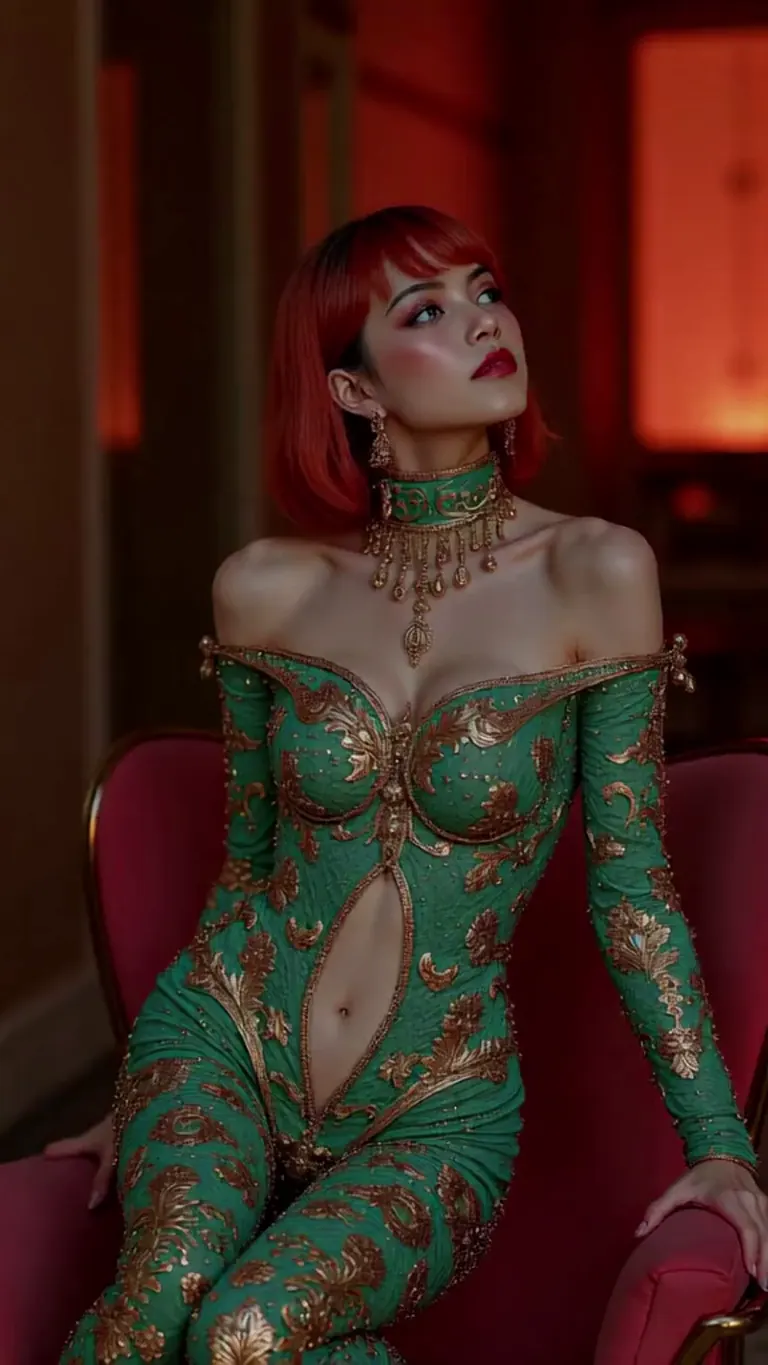
wan2.2-i2v-high-Screen Flood(屏幕淹水)
/workflow /run:video-wan22 <high-screen-flood-wan> then water suddenly rushes up from the bottom and submerges the entire screen.
이미지 입력과 함께 사용하면 가장 좋습니다: 사진에 답장하고 대신 /run:animate-wan22를 사용하세요.
Wan · LoRAjeh88615 제작 via BunchaPrompts
워크플로우는 메시지 끝에 /slot1: 등 슬롯에 추가 값을 받습니다; 각 워크플로우 페이지에서 슬롯 기능을 확인하세요. 음악 워크플로우는 프롬프트로 가사를, 슬롯에 장르를 받습니다.
7. ModelTrends에서 프롬프트 복사하기
ModelTrends 모델 페이지의 모든 예제 렌더에는 복사 버튼이 있어, PirateDiffusion 매개변수로 설정된 프롬프트를 제공합니다. /render 뒤에 붙이고 모델 ShortCode와 함께 사용하세요.
프롬프트를 자신의 언어로 작성할 수 있습니다. /translate를 추가하면 봇이 렌더링 전에 번역합니다.
/render <krea2> /size:1024x1024 /translate un caballero de fantasía con armadura completa, fondo blanco
긴 버전 (2024 SDXL 가이드)
이 가이드는 2024년 SDXL용으로 작성되었습니다. 명령어는 여전히 작동하며, 모델과 크기는 위와 같습니다.