
Suport
Cum să obții ajutor cu PirateDiffusion: întreabă mai întâi botul cu /help, apoi scrie la info@piratediffusion.com. Depanare: ce să faci când botul nu răspunde sau o comandă eșuează.
Două locuri de unde poți primi ajutor, în această ordine: botul însuși, apoi căsuța noastră de email. Pașii de depanare sunt mai jos pe pagină.
1. Întreabă mai întâi botul
Deschide @piratediffusion_bot în Telegram și tastează:
/help
Botul răspunde la întrebări despre cum funcționează comenzile, chiar acolo în chat. Întreabă-l cu propriile cuvinte: ce face un parametru, de ce o comandă a fost refuzată, cum să faci un video dintr-o imagine.
Versiunile scrise ale acelor răspunsuri: Comenzi · Depanare
2. Scrie-ne
Pentru orice nu poate răspunde botul, cum ar fi întrebări despre activare, facturare și conținut sau un bug, scrie la:
Include numele tău de utilizator Telegram, comanda pe care ai tastat-o și o captură de ecran cu răspunsul botului. Asta este tot ce avem nevoie să vedem.
Citim fiecare mesaj. Răspunsurile vin de la o persoană, așa că acordă puțin timp.
Depanare
Ce să faci când botul nu răspunde, o comandă eșuează sau activarea nu se realizează.
Refunds: see Terms & Privacy. Activation and plans: see the quick start.
Bot stuck? Quick fix:
- Go to the top left of telegram and create a new GROUP
- Invite @piratediffusion_bot
- Modify the group and make it an admin./remix will not work if you skip this step
- type /start and hit enter
And you’re done! Type /debug and the bot answers in the group.
Note: It will still track your queue, so don’t create multiple groups, it won’t render faster. But it’s handy to separate your projects, isn’t it!
How to avoid getting stuck again
The bot can get stuck when it encounters an unexpected command, like a command out of sequence, or brackets, punctuations, parenthesis that were not terminated properly. Please notify support with the last working command so we can squash the new bug you found. We don’t care if you were prompting something weird, we’re not going to judge you. We’ve seen it all.
Make sure you know the difference between parameters and commands.
Correct: /render /recipe:humans
Naughty: /style /render
Telegram itself (not us) has a 4k message limit, so sending a very long prompt won’t reach the bot. To get around this, move your common negative prompts to a /style and use settings so you’re not tying a bunch of crazy stuff every time. This will also save you time and make the bot more fun to use. Here’s a bunch of ideas.
The /remix command requires the bot to be (1) a group administrator with full rights to messages (2) that images are sent in Telegram’s “quick/compressed” format. On mobile, that’s a checkbox at the time of upload. On PC, that means dragging towards the bottom of the window or clicking the checkbox after the paperclip.
The /size command can also cause errors if the resolution is unsupported by the model or requires too much RAM to process. Try conservative upscaling like 768×640 instead. Remember, most models are trained on 512×512 so using the /facelift command will 4x the pixels without having to use size.
Troubleshooting
Before trying these recovery steps, please back up any important photos in your open chats. We may not be able to recover your photos after this sequence is completed.
Is your private 1:1 chat not responding?
1) Send shorter prompts
Telegram has a 4k character limit, which is a lot but not enough for super detailed prompts. To work around this, move common negative keywords into a prompt macro, which we call a style, to shorten your message.
Example:
/styles /new:nicehands $ prompt (five fingers),(beautiful hands),[extra fingers],[deformed],[extra knuckles],[mutilated],[mutated],[malformed],[ugly],[unattractive]
So instead of sending that long thing every time, you can now type:
/render a lady /style:nicehands
2) Is it down for everyone?
Let’s determine if only your private chat is the problem, or if everyone has the problem. If everyone is stuck, please write to us (the mailbox above) so we can reset the bot. If everyone can render, and you can also render in public, but not in private, let’s continue:
3) Is Telegram itself down?
It’s rare, but it happens. Make sure your other chats are working as intended and google for complaints about outages today, or check a monitoring on Google to see if Telegram is down at large.
4) Type /debug in your private chat
If the reply says free-free, your GPU account is not connected yet: see step 2 of the quick start. If it shows your plan, let’s continue:
5) Try sending the bot with the following commands
Scroll up on your message history. Did you copy a long prompt that had punctuation marks? If that prompt opened a lot of parameters for negative/positive prompts, the bot is waiting for you to finish that command.
In this case, try to terminate it. Send these individually as one line:
//////////////////////////////////////
“””””””””””””””””””””””””””””””””””””””””””
))))))))))))))))))))))))))))))))))))))))))))))))
]]]]]]]]]]]]]]]]]]]]]]]]]]]]]]]]]]]]]]]]]]]]]]]]
/start
Repeat these a few dozen times to get a response. If still stuck:
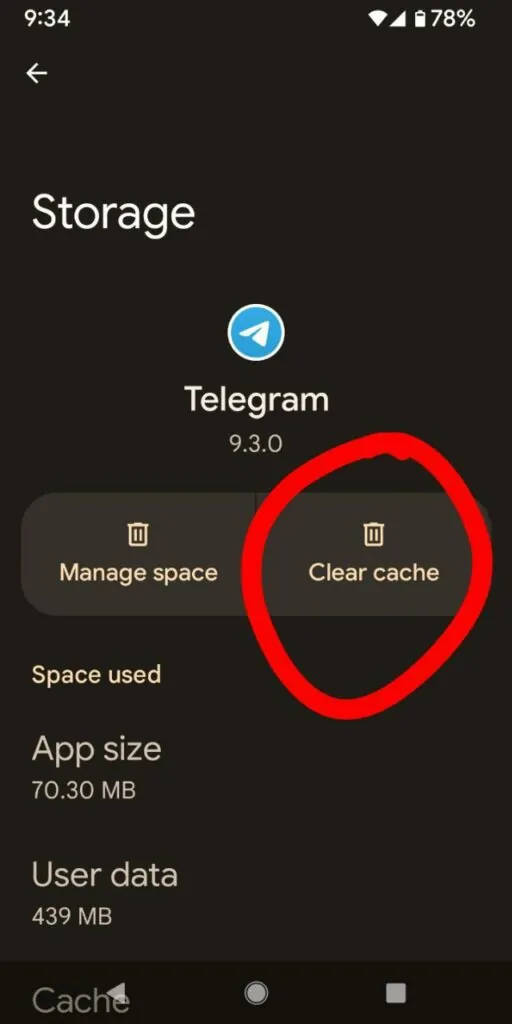
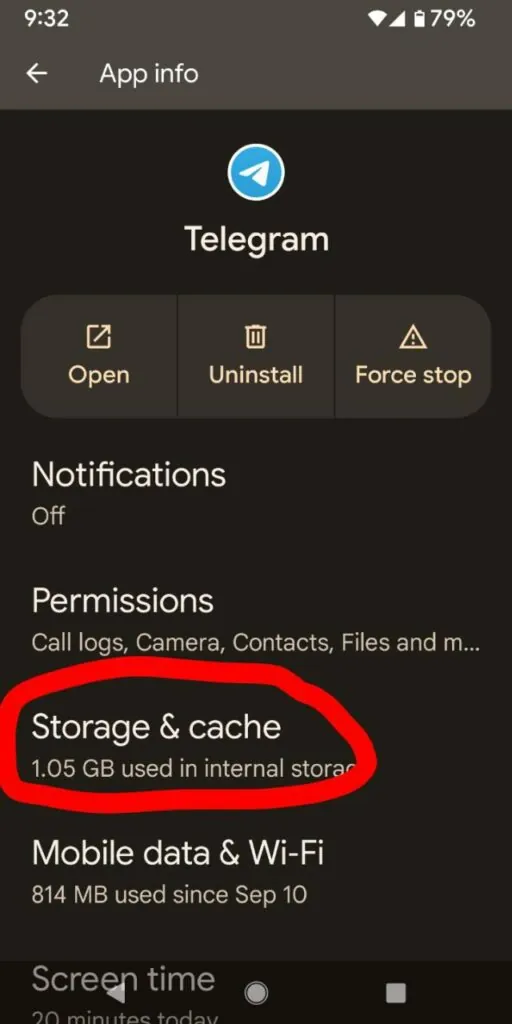
6) Close Telegram and wipe the cache
7) Open your device’s app store and update Telegram
Make sure you’re running the latest version of the app. Because we’re going to delete the chat next.
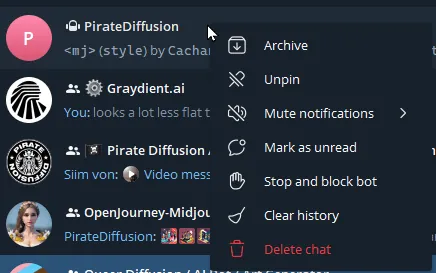
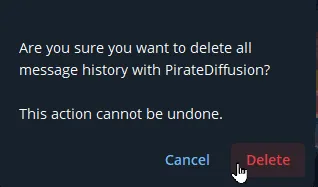
8) Delete your chat with the bot
This wipes your history. Go out of the chat window and into your list of chats, long press down or right click on it, and delete it.
9) Start a brand new chat
Close Telegram, re-open it, and initialize a new chat with the bot:
https://t.me/PirateDiffusion_bot
The start button should appear at the bottom now. Press that.
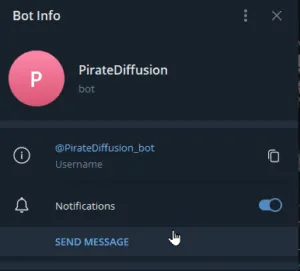
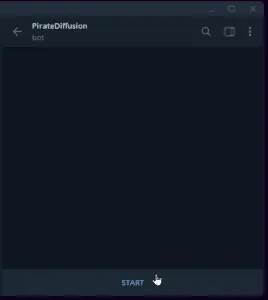
If it does not, type /start when you enter the room, followed by /debug. If the bot returns messages, you can render again.
If not, continue:
10) Shut down your phone
That will make sure Telegram is not running in the background, and gives the bot time to recover. Wait a full 5 minutes, then start your phone. Enjoy a coffee or a beer, or both. Reflect on what’s inside your refrigerator, and inside you. Draw a baby deer by hand, and think about the sounds it makes. Take a deep breath and remember happier times when you could render anything you wanted just by typing. Ok, let’s continue.
After restarting, repeat step 5 above.
11) Block the Bot
Click on the top right corner and block the bot, like this: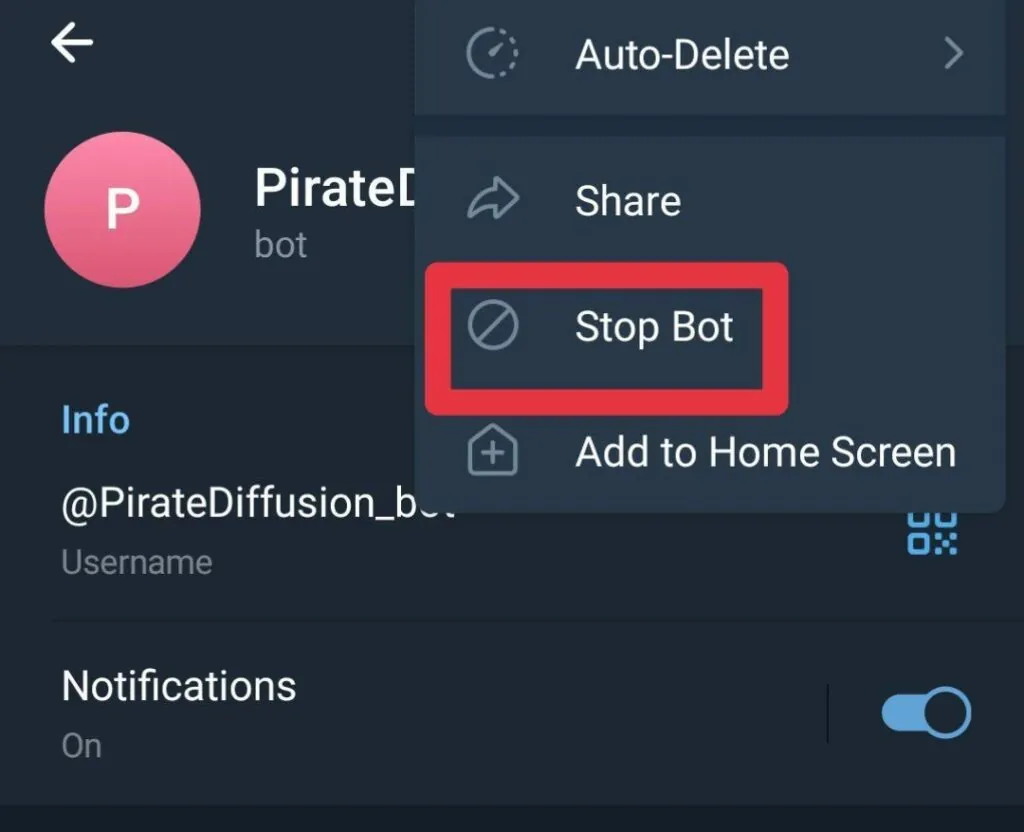
After you’ve stopped the bot, repeat step 8 again to completely start over.
12) Clear your cache
13) Try it on a different platform, like PC
To make sure it’s just Telegram and not us, the last resort is to try a completely different Telegram app. Telegram’s own desktop and web apps are listed at telegram.org/apps.
If all else fails, let’s start over
If that doesn’t work, your communications between the bot were likely shadowbanned by Telegram (as in we triggered their safety feature) and we need to start over. There is no fix for this.
But there is a workaround: write to us at info@piratediffusion.com with your Telegram username.
We can temporarily create a private group to act as your private chat replacement, and then leave the group. So you end up with a fresh chat between you and the bot privately, one way or another. We won’t leave you hanging.