
- PirateDiffusion
- رہنمائیں
- پرومپٹ کیسے کریں
پرومپٹ کیسے کریں
PirateDiffusion چیٹ کے اندر ایک کمانڈ لائن ہے۔ ایک پیغام ایک رینڈر بناتا ہے: ایک کمانڈ، ماڈل کا ShortCode، چند پیرامیٹرز اور آپ کے الفاظ۔ اس صفحے پر ہر زندہ مثال ModelTrends کیٹلاگ سے حقیقی رینڈر ہے، اور اس کی کمانڈ ویسی ہی پیسٹ کی جا سکتی ہے۔
Learn your first command: Skills
Type // to create or edit images and videos. You do not need to learn commands or pick a model first. Begin your request with two slashes and the bot picks the best Skill for it: the model, the workflow and the settings that fit your words. Copy this into the chat:
// a gray chubby cat napping in a sunny garden, photo
A confirmation message appears, then the pictures. The buttons under each result let you vote and upscale it.
Change the words and send it again. The more you describe, the closer the picture gets:
// a gray British shorthair cat asleep among peonies in a big garden, soft morning light, realistic photo
Videos work the same way
Ask for motion and the bot picks a video Skill:
// a short video of waves rolling onto a black sand beach at sunset
Edit a photo
Send a photo into the chat first, then reply to it with your request. Putting the word edit in it helps the bot pick an editing Skill:
// edit, make her hair blonde
Pick a Skill yourself
Every Skill also has a name you can run directly, for example /anime-illustrious a warrior standing in the rain. /skill /list shows the Skills available to you, /skill /show:name describes one, and /skill /tune lets you mute the ones you never want picked for you.
When you want full control
The /render and /workflow commands name the exact model, size, steps and seed yourself. That is what the How to prompt lessons and the commands list are for. The original SDXL beginner lesson, with its /render cat examples and bracket weights, is kept as a 2024 guide.
1. رینڈر کمانڈ
/render سے شروع کریں، ماڈل کو زاویہ دار بریکٹس میں نام دیں، پھر وہ لکھیں جو آپ دیکھنا چاہتے ہیں۔ پیرامیٹرز سلیش الفاظ ہوتے ہیں اور پیغام میں کہیں بھی ہو سکتے ہیں۔
/render <krea2> /size:1024x1024 A fantasy knight in full armor with helmet. His sword at belt. In neutral pose. White background.
اس صفحے پر دی گئی مثالیں <krea2>، جو کہ Flux Krea بیس ماڈل ہے، 1024 پکسلز پر استعمال کرتی ہیں؛ پرامپٹس اصلی ہیں جو ModelTrends کیٹلاگ سے لیے گئے ہیں۔ ماڈل کا نام نہ دینے پر بوٹ آپ کا ڈیفالٹ ماڈل استعمال کرتا ہے۔ ایک مختلف ShortCode ہی کافی ہے تاکہ ایک ہی پرامپٹ کو دوسرے ماڈل پر آزمایا جا سکے۔
ایک لائیو مثال: ShortCode، رینڈر کی سیٹنگز بطور پیرامیٹرز، پرامپٹ اور اس کا نیگیٹو۔
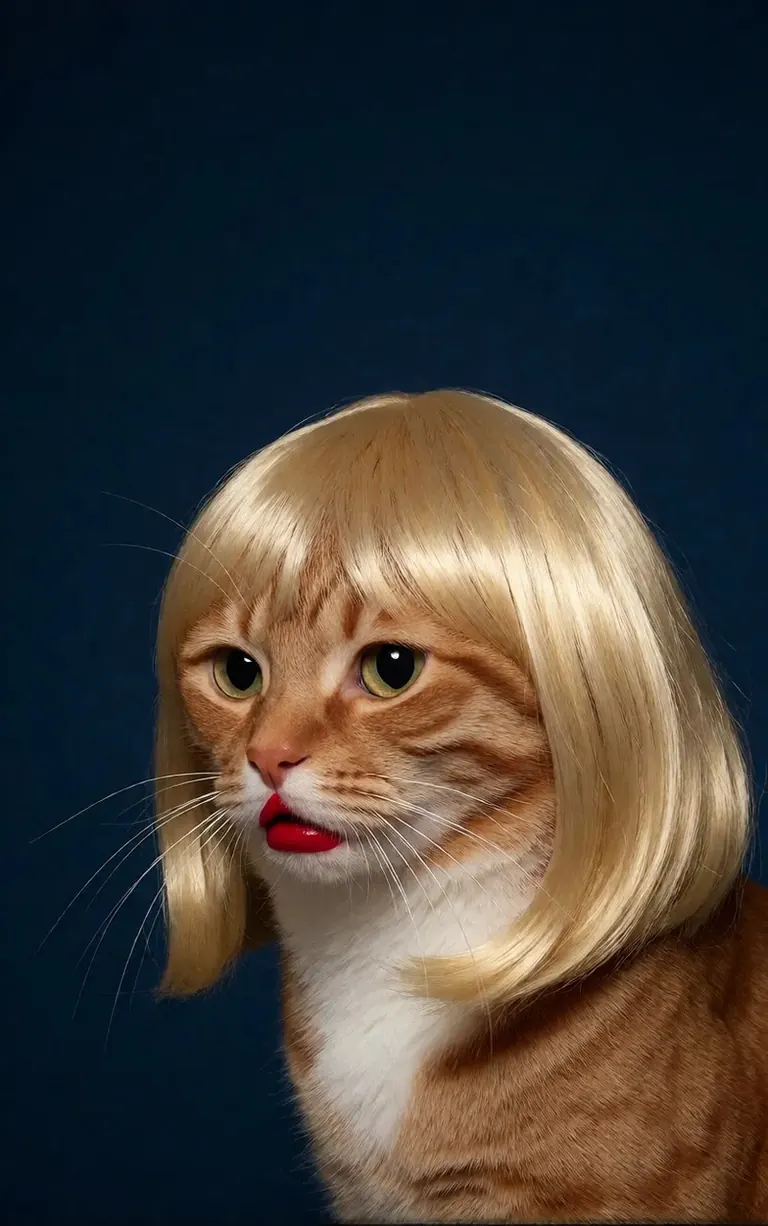
/render <realism-enhancer-krea2> A minimalist, high-contrast studio portrait captures an orange tabby cat wearing a perfectly styled blonde wig with straight bangs, looking off-camera with a grumpy expression and wearing bright red lipstick, featuring rich composition grading and insane sharpness. The cat's smooth, light brown and white fur stands out sharply against a flat, deep dark blue background that serves as a vast expanse of clean negative space. The tight, centered flash composition highlights the realistic texture of the shiny blonde synthetic hair, the cat's long white whiskers, and the glossy red pout, creating a bizarre, authentic, and starkly humorous artistic study.
Krea2 · LoRAرینڈر کردہ 6vidit9 کی طرف سے via BunchaPrompts
2. ModelTrends ShortCodes
ModelTrends.ai پر ہر ماڈل کے صفحے پر ایک ShortCode باکس ہوتا ہے۔ وہ ShortCode PirateDiffusion میں ماڈل کا نام ہوتا ہے: اسے کمانڈ میں ڈالیں اور بوٹ وہ ماڈل لوڈ کر لیتا ہے۔ ہزاروں ماڈلز، LoRAs اور ایمبیڈنگز پہلے سے لوڈ ہیں، اس لیے کچھ ڈاؤن لوڈ کرنے کی ضرورت نہیں۔
بوٹ میں، /concepts ماڈلز کی فہرست دیتا ہے اور /concept /search نام سے ماڈل تلاش کرتا ہے۔
/concepts
/concept /search:anime
کیٹلاگ براؤز کریں، کوئی ماڈل کھولیں اور اس کا ShortCode کاپی کریں: ModelTrends.ai
3. پیرامیٹرز
نمونہ کمانڈز میں پیرامیٹرز اصل رینڈر کی سیٹنگز ہیں۔ انہیں کاپی کریں تاکہ ویسی ہی تصویر بنے؛ نیا بیج (seed) بدل کر نئی تصویر حاصل کریں۔
/size:1024x1024 | چوڑائی اور اونچائی پکسلز میں۔ موجودہ ماڈلز 1024 اور اس سے زیادہ پر رینڈر کرتے ہیں؛ 1024x1024 مربع ہے، 1024x1536 پورٹریٹ۔ |
/portrait /tall /landscape /wide | سائز کی بجائے شکل کے شارٹ کٹس۔ |
/steps:25 | رینڈر کے دوران کتنے ڈینوائزنگ مراحل ہوتے ہیں؛ زیادہ مراحل سست ہوتے ہیں۔ |
/guidance:7 | پرامپٹ کی کتنی سختی سے پیروی کی جاتی ہے۔ ہر ماڈل کی اپنی بہترین حد ہوتی ہے۔ |
/seed:123456 | رینڈم بیج۔ ایک ہی بیج، گائیڈنس، سیمپلر اور ماڈل سے ایک جیسی تصویر دوبارہ ملتی ہے۔ |
/sampler:dpm2m /karras | سیمپلر، اور /karras ان سیمپلرز کے لیے جن میں یہ موڈ ہوتا ہے۔ صرف /sampler انہیں فہرست دیتا ہے۔ |
/clipskip:2 | ٹیکسٹ انکوڈر کی آخری پرتیں چھوڑ دیتا ہے؛ کچھ ماڈلز 2 کے لیے ٹرین کیے گئے ہیں۔ |
/images:4 | ایک کمانڈ سے کتنی تصاویر بنانی ہیں۔ |
پیرامیٹرز ہر زبان میں انگریزی میں رہتے ہیں، بوٹ انہیں ویسے ہی پڑھتا ہے۔
4. وزن، مثبت اور منفی
ڈبل بریکٹ (( )) کسی لفظ کو زیادہ گنوا دیتے ہیں، ڈبل اسکوائر بریکٹ [[ ]] کم۔ منفی، یعنی تصویر سے باہر رکھنے والی چیزیں، عام طور پر اسکوائر بریکٹ میں ہوتی ہیں اور آخر میں آتی ہیں۔
/render <krea2> /size:1024x1024 sketch painting, a rock climber scaling a ((steep cliff)), icy winds, frozen landscape [[blurry, text, watermark]]
دوسرے ٹولز سے کاپی کیے گئے پرامپٹس اکثر (word:1.3) وزن رکھتے ہیں۔ /parser:new شامل کریں تو بوٹ انہیں پڑھتا ہے۔
/render <krea2> /size:1024x1024 /parser:new sketch painting, a rock climber scaling a (steep cliff:1.3), icy winds, frozen landscape
SDXL ماڈلز پر منفی ایمبیڈنگ منفی میں طاقت کے ساتھ شامل کی جاتی ہے، جیسے:
[[<fastnegative-xl:-2>]]
5. LoRAs اور نسخے
LoRA ایک چھوٹا ماڈل ہوتا ہے جو ایک چیز شامل کرتا ہے: ایک کردار، ایک انداز، کیمرہ کی حرکت۔ اس کا بھی ShortCode ہوتا ہے اور اسے پرامپٹ کے ساتھ کمانڈ میں ویسے ہی استعمال کیا جاتا ہے۔ ModelTrends صفحات بتاتے ہیں کہ LoRA کس بیس ماڈل کے لیے بنایا گیا؛ بہترین نتیجہ کے لیے اسے اسی بیس کے ساتھ جوڑیں۔
/render <realism-enhancer-krea2> A minimalist, high-contrast studio portrait captures an orange tabby cat wearing a perfectly styled blonde wig with straight bangs, looking off-camera with a grumpy expression and wearing bright red lipstick, featuring rich composition grading and insane sharpness. The cat's smooth, light brown and white fur stands out sharply against a flat, deep dark blue background that serves as a vast expanse of clean negative space. The tight, centered flash composition highlights the realistic texture of the shiny blonde synthetic hair, the cat's long white whiskers, and the glossy red pout, creating a bizarre, authentic, and starkly humorous artistic study.
Krea2 · LoRAرینڈر کردہ 6vidit9 کی طرف سے via BunchaPrompts
ریسپی ایک محفوظ شدہ الفاظ اور سیٹنگز کا مجموعہ ہوتا ہے، جسے ہیش ٹیگ سے بلایا جاتا ہے۔ /recipes انہیں فہرست دیتا ہے۔
/render <krea2> /size:1024x1024 a fantasy knight in full armor, white background #boost
6. ورک فلو: تصاویر، ویڈیو اور موسیقی
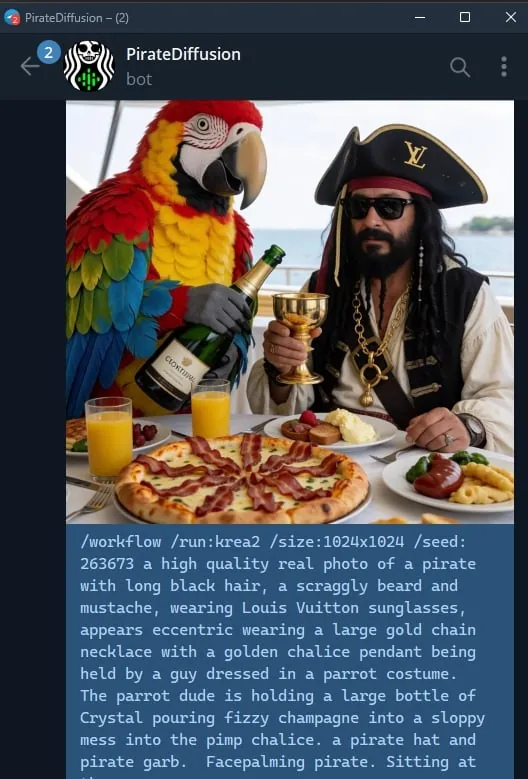
ورک فلو ایک مکمل کام ہے جو Graydient کے سرورز پر چلتا ہے: یہ صحیح ماڈلز اور سیٹنگز لوڈ کرتا ہے، تاکہ آپ صرف کمانڈ بھیجیں۔ امیج ورک فلو وہی پیرامیٹرز لیتے ہیں جو /render لیتا ہے۔ مثال کے طور پر Krea2 ورک فلو:
/workflow /run:krea2 /size:1024x1024 a high quality real photo of a pirate with long black hair, a scraggly beard and mustache, wearing sunglasses, a gold chain necklace and a golden chalice, having pizza with a giant parrot pouring him champagne
ویڈیو اور آڈیو ماڈلز ورک فلو کے طور پر چلتے ہیں: /workflow /run: اور ورک فلو کا سلوگ، پھر پرامپٹ۔ ModelTrends ورک فلو کے ShortCode باکس میں سلوگ کو /wf /run: کے طور پر دکھاتا ہے، جو اسی کمانڈ کا مختصر فارم ہے۔
سلوگ کا پہلا لفظ بتاتا ہے کہ ورک فلو کیا لیتا ہے:
video- | ٹیکسٹ سے ویڈیو: صرف پرامپٹ سے کلپ بنتا ہے۔ |
animate- | تصویر سے ویڈیو: تصویر کو جواب دیں اور کمانڈ کے ساتھ پرامپٹ بتاتا ہے کہ کیا حرکت کرے۔ |
omni- | دونوں: یا تو صرف پرامپٹ سے کام کرتا ہے یا تصویر کے جواب میں۔ |
ویڈیو LoRA سلوگ اور پرامپٹ کے درمیان آتا ہے۔ تصویر کے لیے بنایا گیا LoRA ٹیکسٹ ٹو ویڈیو ورک فلو میں بھی چلتا ہے، لیکن بہترین کام تب کرتا ہے جب آپ تصویر کو animate ورک فلو کے ساتھ جواب دیں؛ نمونہ کارڈز یہ بتاتے ہیں۔ ایک لائیو مثال:
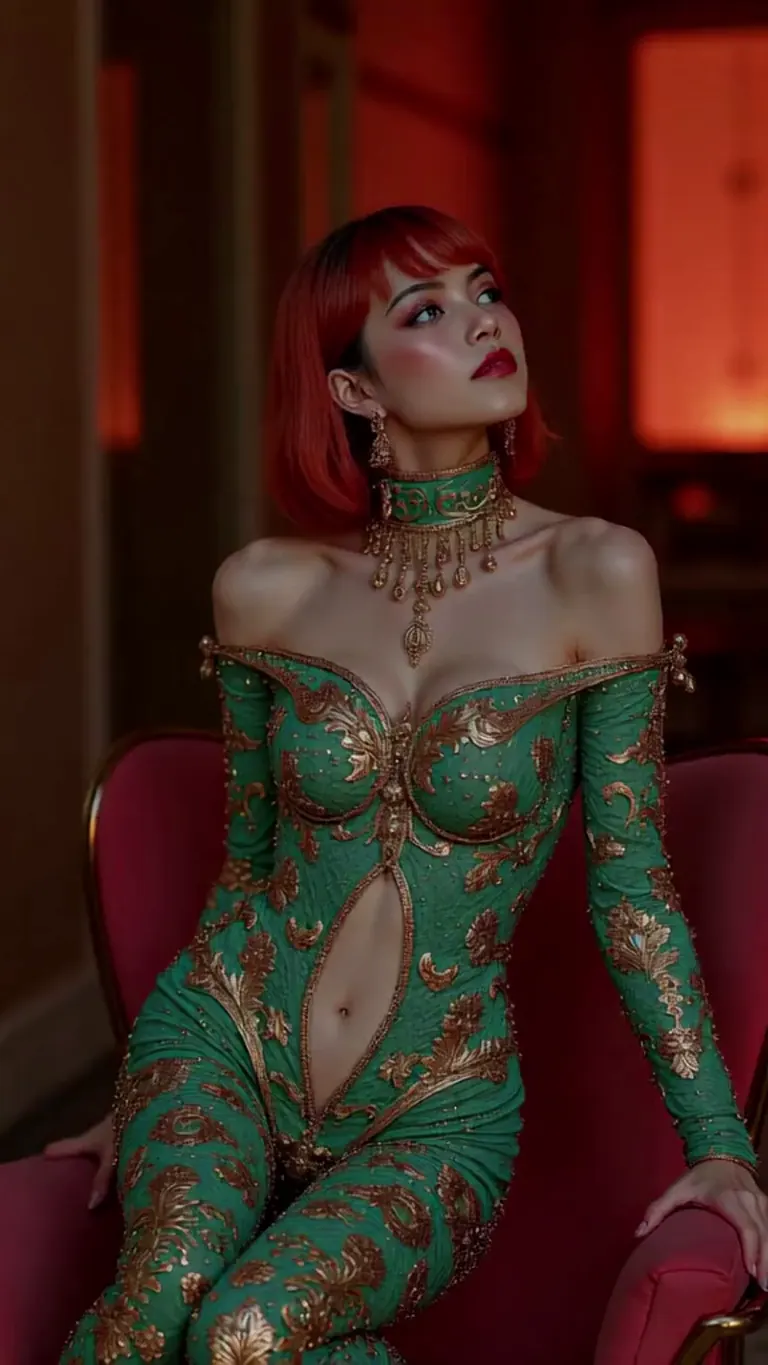
wan2.2-i2v-high-Screen Flood(屏幕淹水)
/workflow /run:video-wan22 <high-screen-flood-wan> then water suddenly rushes up from the bottom and submerges the entire screen.
تصویر کے ان پٹ کے ساتھ بہتر کام کرتا ہے: تصویر کا جواب دیں اور /run:animate-wan22 استعمال کریں۔
Wan · LoRAرینڈر کردہ jeh88615 کی طرف سے via BunchaPrompts
ورک فلو اضافی ویلیوز سلاٹس میں لیتے ہیں، جو پیغام کے آخر میں /slot1: وغیرہ لکھ کر دی جاتی ہیں؛ ہر ورک فلو کا صفحہ بتاتا ہے کہ اس کے سلاٹس کیا کرتے ہیں۔ موسیقی کے ورک فلو میں بول پرامپٹ ہوتے ہیں اور صنف سلاٹ میں۔
7. ModelTrends سے پرامپٹ کاپی کریں
ModelTrends ماڈل کے صفحے پر ہر مثال رینڈر کے ساتھ ایک کاپی بٹن ہوتا ہے جو پرامپٹ اور اس کی سیٹنگز PirateDiffusion پیرامیٹرز کے طور پر پہلے سے لکھ کر دیتا ہے۔ اسے /render اور ماڈل کے ShortCode کے بعد پیسٹ کریں۔
آپ پرامپٹ اپنی زبان میں لکھ سکتے ہیں۔ /translate شامل کریں تو بوٹ رینڈر سے پہلے ترجمہ کر دیتا ہے۔
/render <krea2> /size:1024x1024 /translate un caballero de fantasía con armadura completa, fondo blanco
لمبی ورژنز (2024 کے SDXL گائیڈز)
یہ گائیڈز 2024 میں SDXL کے لیے لکھی گئیں۔ کمانڈز اب بھی کام کرتے ہیں؛ ماڈلز اور سائز اوپر دیے گئے ہیں۔