
- PirateDiffusion
- 指南
- 如何提示
如何提示
PirateDiffusion 是聊天中的命令行。一条消息生成一次渲染:一个命令、模型的 ShortCode、几个参数和你的文字。本页的每个实时示例都是真实的 ModelTrends 目录渲染,其命令可直接粘贴使用。
Learn your first command: Skills
Type // to create or edit images and videos. You do not need to learn commands or pick a model first. Begin your request with two slashes and the bot picks the best Skill for it: the model, the workflow and the settings that fit your words. Copy this into the chat:
// a gray chubby cat napping in a sunny garden, photo
A confirmation message appears, then the pictures. The buttons under each result let you vote and upscale it.
Change the words and send it again. The more you describe, the closer the picture gets:
// a gray British shorthair cat asleep among peonies in a big garden, soft morning light, realistic photo
Videos work the same way
Ask for motion and the bot picks a video Skill:
// a short video of waves rolling onto a black sand beach at sunset
Edit a photo
Send a photo into the chat first, then reply to it with your request. Putting the word edit in it helps the bot pick an editing Skill:
// edit, make her hair blonde
Pick a Skill yourself
Every Skill also has a name you can run directly, for example /anime-illustrious a warrior standing in the rain. /skill /list shows the Skills available to you, /skill /show:name describes one, and /skill /tune lets you mute the ones you never want picked for you.
When you want full control
The /render and /workflow commands name the exact model, size, steps and seed yourself. That is what the How to prompt lessons and the commands list are for. The original SDXL beginner lesson, with its /render cat examples and bracket weights, is kept as a 2024 guide.
1. 渲染命令
以 /render 开头,用尖括号写出模型名称,然后写出你想看到的内容。参数是斜杠词,可以出现在消息的任何位置。
/render <krea2> /size:1024x1024 A fantasy knight in full armor with helmet. His sword at belt. In neutral pose. White background.
本页的示例使用了<krea2>,即Flux Krea基础模型,分辨率为1024像素;提示词均来自ModelTrends目录的真实示例。若未指定模型名称,机器人将使用你的默认模型。只需更换ShortCode即可在另一个模型上尝试相同的提示词。
实时示例:ShortCode,渲染设置作为参数,提示词及其负面提示。
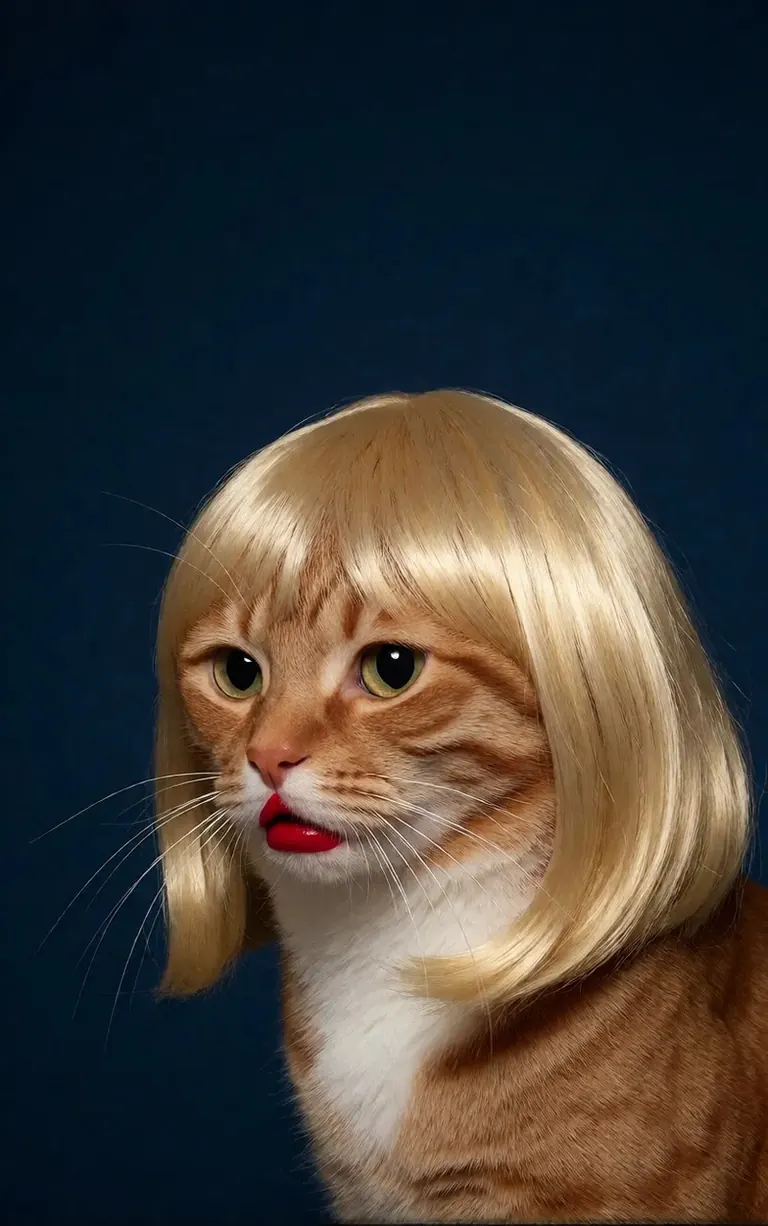
/render <realism-enhancer-krea2> A minimalist, high-contrast studio portrait captures an orange tabby cat wearing a perfectly styled blonde wig with straight bangs, looking off-camera with a grumpy expression and wearing bright red lipstick, featuring rich composition grading and insane sharpness. The cat's smooth, light brown and white fur stands out sharply against a flat, deep dark blue background that serves as a vast expanse of clean negative space. The tight, centered flash composition highlights the realistic texture of the shiny blonde synthetic hair, the cat's long white whiskers, and the glossy red pout, creating a bizarre, authentic, and starkly humorous artistic study.
Krea2 · LoRA渲染者 6vidit9 via BunchaPrompts
2. ModelTrends ShortCodes
ModelTrends.ai上的每个模型页面都显示一个ShortCode框。该ShortCode是模型在PirateDiffusion中的名称:将其放入命令中,机器人即可加载该模型。成千上万个模型、LoRA和嵌入已预加载,无需下载。
在机器人中,/concepts 列出模型,/concept /search 按名称查找模型。
/concepts
/concept /search:anime
浏览目录,打开模型并复制其ShortCode: ModelTrends.ai
3. 参数
示例命令中的参数是原始渲染的设置。复制它们可获得相同类型的图片;更改seed可生成新图。
/size:1024x1024 | 宽度和高度,单位为像素。当前模型支持1024及以上分辨率;1024x1024为正方形,1024x1536为竖屏。 |
/portrait /tall /landscape /wide | 使用形状快捷方式代替具体尺寸。 |
/steps:25 | 渲染的去噪步数;步数越多,速度越慢。 |
/guidance:7 | 提示词的遵循严格度。每个模型都有最佳范围。 |
/seed:123456 | 随机种子。相同的seed、guidance、采样器和模型会生成相同的图片。 |
/sampler:dpm2m /karras | 采样器,使用/karras可选择支持该模式的采样器。单独输入/sampler可列出所有采样器。 |
/clipskip:2 | 跳过文本编码器的最后几层;部分模型训练时为2。 |
/images:4 | 每条命令生成的图片数量。 |
参数在所有语言中保持英文,机器人按原样读取。
4. 权重、正面和负面提示
双括号(( ))使词语权重增加,双中括号[[ ]]使权重降低。负面提示,即需排除的内容,也用中括号表示,通常放在末尾。
/render <krea2> /size:1024x1024 sketch painting, a rock climber scaling a ((steep cliff)), icy winds, frozen landscape [[blurry, text, watermark]]
从其他工具复制的提示词常带有(word:1.3)权重。添加/parser:new,机器人即可识别。
/render <krea2> /size:1024x1024 /parser:new sketch painting, a rock climber scaling a (steep cliff:1.3), icy winds, frozen landscape
在SDXL模型中,负面嵌入放在负面提示内并带有强度,例如:
[[<fastnegative-xl:-2>]]
5. LoRA和配方
LoRA是一个小型模型,添加特定元素:角色、风格、镜头动作等。它也有ShortCode,使用方式与提示词相同,放在命令中。ModelTrends页面会标明LoRA对应的基础模型;与该基础模型配合效果最佳。
/render <realism-enhancer-krea2> A minimalist, high-contrast studio portrait captures an orange tabby cat wearing a perfectly styled blonde wig with straight bangs, looking off-camera with a grumpy expression and wearing bright red lipstick, featuring rich composition grading and insane sharpness. The cat's smooth, light brown and white fur stands out sharply against a flat, deep dark blue background that serves as a vast expanse of clean negative space. The tight, centered flash composition highlights the realistic texture of the shiny blonde synthetic hair, the cat's long white whiskers, and the glossy red pout, creating a bizarre, authentic, and starkly humorous artistic study.
Krea2 · LoRA渲染者 6vidit9 via BunchaPrompts
配方是保存的词语和设置组合,通过其标签调用。/recipes 可列出所有配方。
/render <krea2> /size:1024x1024 a fantasy knight in full armor, white background #boost
6. 工作流程:图像、视频和音乐
工作流程是在Graydient服务器上运行的完成任务:它加载正确的模型和设置,所以你只需发送命令。图像工作流程接受与/render相同的参数。例如Krea2工作流程:
/workflow /run:krea2 /size:1024x1024 a high quality real photo of a pirate with long black hair, a scraggly beard and mustache, wearing sunglasses, a gold chain necklace and a golden chalice, having pizza with a giant parrot pouring him champagne
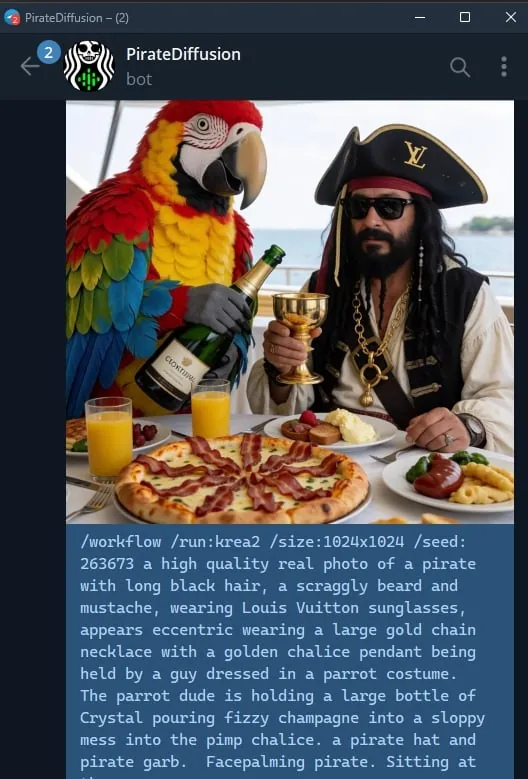
视频和音频模型以工作流形式运行:/workflow /run:加工作流slug,再加提示词。ModelTrends在工作流的ShortCode框中显示slug,形式为/wf /run:,是同一命令的简写。
slug的第一个词表示工作流接受的输入类型:
video- | 文本转视频:仅用提示词生成视频片段。 |
animate- | 图像转视频:回复一张图片并使用命令,提示词描述动画内容。 |
omni- | 两者皆可:可仅用提示词,也可回复图片。 |
视频LoRA放在slug和提示词之间。为图像输入设计的LoRA仍可在文本转视频工作流中使用,但在回复图片并用动画工作流时效果最佳;示例卡片会说明。实时示例:
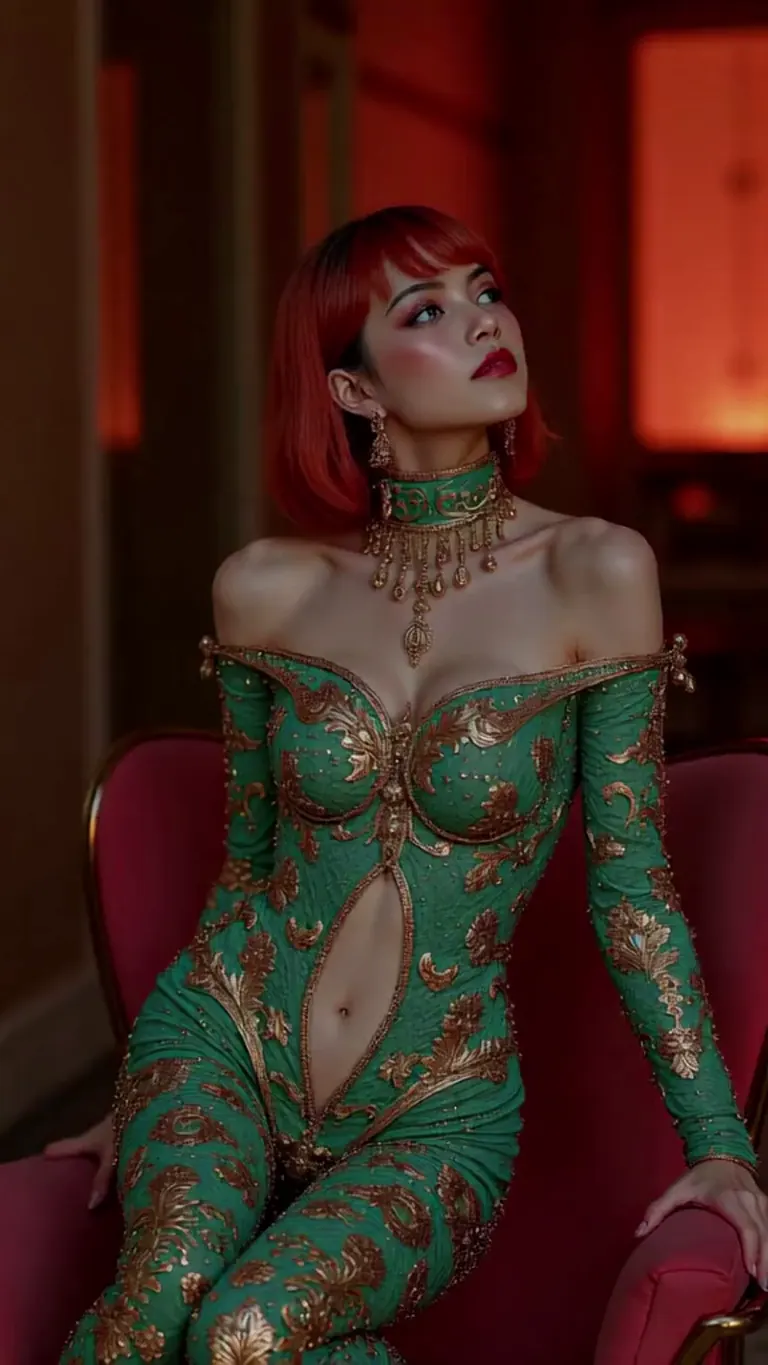
wan2.2-i2v-high-Screen Flood(屏幕淹水)
/workflow /run:video-wan22 <high-screen-flood-wan> then water suddenly rushes up from the bottom and submerges the entire screen.
最好配合图像输入使用:回复一张图片并改用 /run:animate-wan22。
Wan · LoRA渲染者 jeh88615 via BunchaPrompts
工作流可接受额外槽位值,写作/slot1:等,放在消息末尾;每个工作流页面说明槽位作用。音乐工作流以歌词为提示词,曲风放在槽位中。
7. 从ModelTrends复制提示词
ModelTrends模型页面的每个示例渲染都有复制按钮,复制的提示词已包含PirateDiffusion参数设置。粘贴到/render后并加上模型ShortCode即可。
你可以用自己的语言写提示词。添加/translate,机器人会先翻译再渲染。
/render <krea2> /size:1024x1024 /translate un caballero de fantasía con armadura completa, fondo blanco
详细版(2024年SDXL指南)
这些指南为2024年SDXL编写。命令依然有效;模型和尺寸与上述相同。